

.jpg?width=767&name=What%20Is%20Conversational%20AI_%20A%20Practical%20Guide%20for%20Businesses%20(2026).jpg)
Many businesses lose significant revenue simply because important calls go unanswered or leads slip through the cracks, sometimes costing up to $250,000 annually. To stop this financial bleed, companies are turning to Narrow AI for business automation rather than getting caught up in theoretical debates over Narrow AI vs. General AI.
While general intelligence remains in research labs, narrow AI powers the practical tools that capture lost revenue today. When evaluating software, you will find that configurable General AI and purpose-built Narrow AI are often used interchangeably in business discussions, yet they serve very different operational roles. One offers broad flexibility, while the other offers immediate, specialized execution.
Explore our complete breakdown of the best specialized tools available for your exact business use cases.
What Is Narrow AI vs General AI for Business Use
Understanding the exact capabilities of these technologies dictates your software investments. Today, the distinction is no longer about, but about how much manual setup your team is willing to do.
What Is Narrow AI?
Narrow AI is a software trained to perform a single specific task perfectly. It operates strictly within predefined rules and closed learning models. It cannot perform any function outside of its designated programming.
What Is General AI?
True artificial general intelligence (AGI) refers to a theoretical machine with human-level reasoning. However, in practical business discussions today, "general AI" often refers to configurable AI agents, platforms designed to handle tasks such as open-ended customer support, general Q&A, and complex administrative duties.
Why Businesses Use Narrow AI Instead of General AI
Companies deploy purpose-built tools because they deliver an immediate return on investment. While configurable General AI platforms force you to build workflows, write prompts, and connect APIs from scratch, purpose-built Narrow AI systems automatically inherit your existing calendar and routing logic.
By understanding how these two approaches work, whether used separately or as a combined strategy, businesses can plug directly into their operations and capture lost revenue on day one without any manual setup.
Pro Tip: Prioritize time-to-value: When evaluating new software, choose specialized tools that deploy in days rather than complex platforms that take months to configure and train.
How We Selected the Best Narrow AI Tools for This List
With a recent McKinsey report showing that 78% of organizations now use AI in at least one business function, choosing the right software is critical. We evaluated dozens of specialized platforms based entirely on their immediate business impact.
Here are the strict criteria we used to build this ultimate list:
Pro Tip: Demand proven financial returns: A recent IDC report found that for every $1 invested in AI, businesses generate an average return of 3.5x to 3.7x. If a software vendor cannot prove immediate revenue capture, do not buy their tool.
Quick Comparison of Top Narrow AI Tools
Before diving into the detailed breakdown, here is a high-level overview of the best specialized tools available for your daily operations.
|
Tool Category |
Primary Use Case |
Type of Narrow AI |
Key Feature |
Best For |
|
OnceHub |
Inbound calls and scheduling |
Conversational voice agent |
Real-time calendar booking |
Sales and service teams |
|
Content Creation Tools |
Marketing blogs and emails |
Generative text model |
Automated writing templates |
Marketing departments |
|
Customer Support Tools |
Chatbots and ticketing |
Natural language processing |
Automated help desk routing |
Support and help desk teams |
|
Sales and CRM Assistants |
Lead tracking and insights |
Predictive analytics |
Automated pipeline tracking |
Sales executives |
|
Hiring and HR Tools |
Applicant screening and scheduling |
Conversational screening bots |
Automated interview invites |
Talent acquisition teams |
|
Productivity Workflow Tools |
Internal task automation |
Rule-based logic |
Seamless app integration |
Seamless app integration |
The Best Narrow AI Tools for Business (By Use Case)
Instead of searching for a universal solution, growing companies build a digital workforce using specialized software. Here are the top tools for automating your daily operations.
1. AI Phone Booking and Scheduling Automation (OnceHub)
.png?width=1540&height=700&name=features_of_phone_booking%20(1).png)
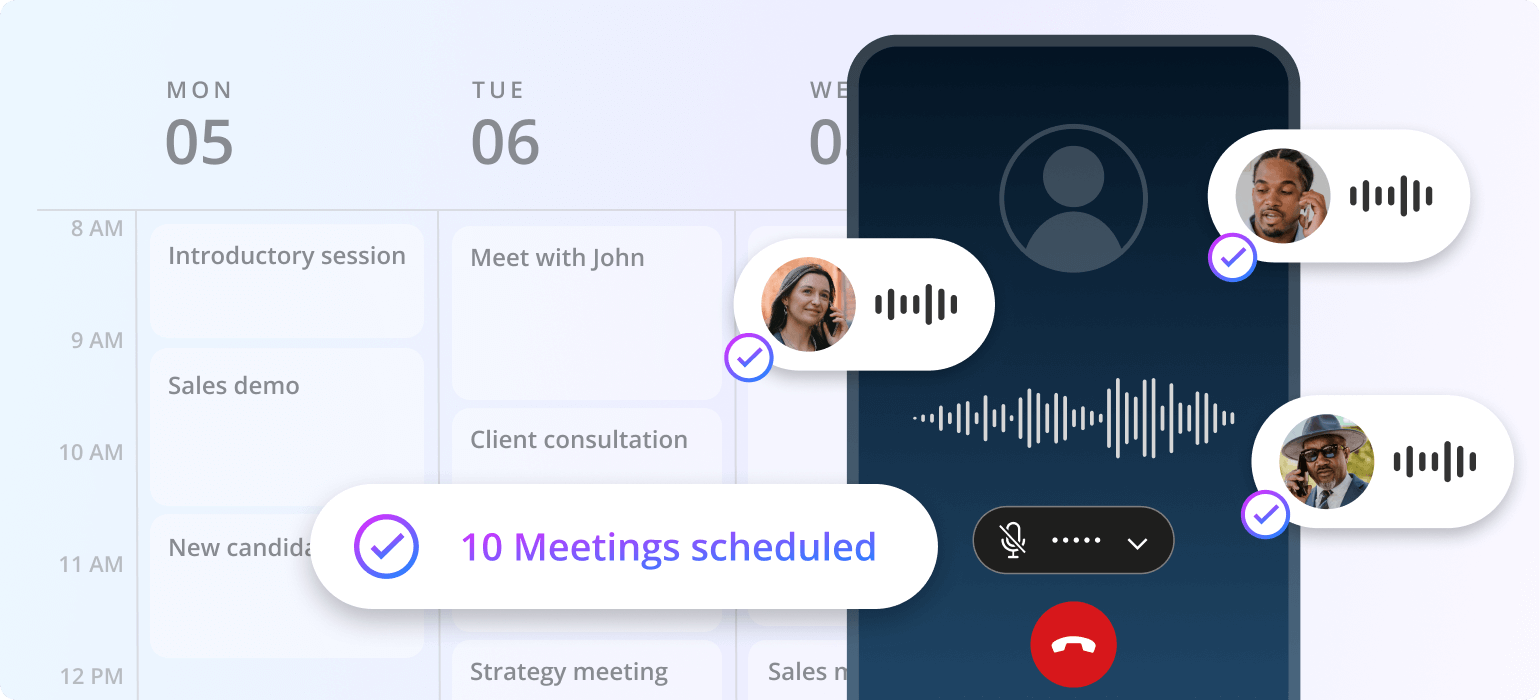
Industry data show that businesses answer only 37.8% of incoming calls on average, while 37.8% go to voicemail and 24.3% receive no response. OnceHub uses conversational AI to answer your phone instantly, so important calls aren’t missed.
Callers are greeted conversationally and can schedule their appointments entirely by voice. You simply forward your incoming calls to a dedicated automated number with zero complex configuration required.
- Primary use case: Inbound call handling and automated voice scheduling.
- Key features: Continuous availability, real-time calendar syncing, and automated time zone management.
- Impact: It stops massive revenue leaks by turning every missed call into a confirmed appointment.
Pro Tip: Stop forcing premium buyers through frustrating phone menus. Let a conversational voice agent answer instantly and secure the consultation while they are highly motivated.
Also read: Introduction to Phone Booking
2. AI Content Creation Tools
Writing consistent marketing copy and daily emails requires a massive amount of creative energy. Studies show that generative text models can save marketers an average of 2.5 hours per day on drafting tasks.
Intelligent writing assistants like Jasper and Copy AI automate these first drafts in seconds. Marketers simply prompt the software to draft a blog outline or newsletter, and the tool uses structured templates to produce polished content instantly.
- Primary use case: Drafting marketing copy, social posts, and daily email newsletters.
- Key features: Instant text generation, tone presets, and structured writing templates.
- Limitations: These models cannot hold live customer conversations or handle inbound phone calls.
- Impact: Users report a drastic reduction in drafting time, freeing creatives to focus on high-level strategy.
3. AI Customer Support Automation Tools
Modern clients expect instant answers to their basic administrative questions around the clock. Platforms like Intercom and Ada provide automated self-service through intelligent ticketing bots.
Intercom reports that its virtual agent resolves 31% of chats without human intervention. Support staff using these intelligent copilots close thirty‑one percent more conversations daily.
- Primary use case: Website chatbots and automated help desk triage.
- Key features: Instant answers to common queries and intelligent routing to human agents.
- Limitations: Text-based bots struggle with complex, high-stakes issues and cannot hold verbal sales negotiations.
- Impact: They drastically cut support workloads and reduce the cost per ticket as your company grows.
4. AI Sales and CRM Assistants
Research indicates that sales reps spend only 28% of their week actually selling, with the rest of their time lost to manual data entry and admin tasks. Intelligent assistants embedded directly in your pipeline software eliminate this busywork.
Tools like the Pipedrive intelligent assistant analyze your pipeline to recommend high-potential deals. They also automatically generate personalized outreach drafts and summarize long email threads.
- Primary use case: Lead tracking, automatic data entry, and intelligent pipeline nurturing.
- Key features: Predictive lead scoring, automated call logging, and instant sales report generation.
- Limitations: They organize data perfectly, but will not call a new prospect directly.
- Impact: They keep the pipeline tidy and ensure absolutely no lucrative deal slips through the cracks.
5. AI Hiring and HR Automation Tools
Talent acquisition teams are bottlenecked by manual applicant screening and interview coordination. Automated recruiting software can reduce time-to-hire 40%, with some implementations cutting screening time by 70% to 80% and shortening hiring from weeks to days.
Platforms like Paradox Olivia chat with applicants to screen for basic qualifications and automatically schedule interviews. Tools like Metaview completely automate interview transcription and feedback collection.
- Primary use case: Scheduling candidate interviews, applicant screening, and parsing interview data.
- Key features: Automated interview invites, chatbot screening, resume parsing, and call summarization.
- Limitations: They require integration with your existing human resources software and do not make cold calls to job seekers.
- Impact: They accelerate hiring cycles and guarantee consistent candidate screening for high-volume recruiting.
Struggling with no shows? Read our article on How to Reduce No-Show Appointments and Win Back Your Time.
6. AI Productivity and Workflow Tools
Internal operations grind to a halt when critical data is trapped in isolated software silos. Intelligent workflow platforms bridge these gaps by moving information seamlessly between your core applications.
Zapier connects hundreds of specialized models to thousands of business apps instantly. You can automatically draft a customized email the exact moment a new lead enters your database.
- Primary use case: Internal operational automation and cross-team documentation.
- Key features: Trigger-based logic, seamless app integrations, and automated text summarization.
- Limitations: They require upfront planning and deliver indirect efficiency gains rather than direct, immediate revenue.
- Impact: They break down data silos and completely eliminate repetitive administrative tasks across multiple departments.
Narrow AI vs General AI: Which One Should Your Business Choose
“Artificial general intelligence remains a long-term research goal rather than a current business reality.” - McKinsey & Company
Business leaders must allocate their budgets to software that solves real operational problems today. The choice between these two technologies is a simple matter of practical utility versus theoretical research.
When Narrow AI and AI Scheduling Software Are the Right Choice
Specialized tools are the only viable option for modern companies looking to scale efficiently. You should deploy this targeted software immediately if you need to automate any of the following daily workflows:
- Scheduling: Booking client meetings and automatically managing complex calendar availability.
- Lead capture: Gathering prospect information, the exact moment they show strong buying intent.
- Customer interactions: Answering basic questions and routing urgent support tickets instantly. (Watch: Build Your AI-Driven Scheduling Assistant)
- Workflow automation: Moving data seamlessly between your core business applications.
When Configurable Agent Platforms Are Relevant
Configurable agents are highly flexible and excel in environments that require open-ended conversations. You should invest the time to build prompts and connect APIs for a configurable agent if your primary needs include:
- Frontline Customer Support: Handling a wide variety of unpredictable, multi-purpose administrative questions.
- Knowledge Q&A: Navigating massive knowledge bases to answer specific questions about your products, return policies, or company history.
Use Cases Where Narrow AI Drives Immediate ROI
The fastest way to justify a new software investment is to track the hours saved and the new revenue captured. Here are the exact workflows where specialized tools deliver massive financial returns instantly.
Booking Appointments Automatically
Trading emails to find an open meeting time wastes hours of productive work every single week. Automated scheduling workflows read your live calendar and secure the client consultation immediately.
Answering Inbound Calls
Every missed call represents lost revenue directly transferred to your local competitors. A specialized conversational voice agent answers instantly and secures the deal while the prospect is highly motivated.
Qualifying Leads Before Meetings
Your top sales executives should only speak with prospects who meet your exact budget requirements. Automated screening tools ask strategic questions upfront and filter out poor fits before they ever reach your calendar.
Recovering Missed Opportunities
Distracted buyers often abandon the checkout or booking process at the very last second. Intelligent follow-up sequences automatically reach out to recapture lost interest and secure the meeting.
Automating Customer Interactions
Modern clients expect immediate answers to their administrative questions around the clock. Automated chat tools provide instant support and protect your human staff from endless repetitive inquiries.
Benefits of Using Narrow AI Tools for Business
According to Accenture research, organizations that fully modernize with AI‑led processes achieve 2.4× greater productivity than their peers.
Here are the core advantages of letting specialized AI handle your repetitive workflows:
- Faster Response to Customers: Modern buyers expect an immediate answer, and automated voice agents pick up the phone instantly to prevent those valuable leads from dialing a competitor.
- Zero Setup Time: Unlike configurable agents, purpose-built scheduling tools require no prompt writing or complex API builds. They are ready on day one.
- Reduced Manual Work: Stop paying your talented employees to perform basic data entry while specialized tools update your customer records and manage your calendar automatically.
- Increased Conversion Rates: Capturing a prospect exactly when their buying intent is highest naturally closes more deals by securing the consultation while the lead is ready to buy.
- Better Resource Utilization: Reallocate your human staff to high-value strategy and relationship-building while targeted software handles the massive volume of routine administrative questions.
- Scalable Operations: Grow your agency volume without massively increasing administrative payroll, since an automated system handles any inbound call volume with perfect efficiency.
How to Choose the Right Narrow AI Tool for Your Business
Selecting the perfect software requires a strict focus on your immediate operational needs. Here is the exact framework to evaluate your next technology investment:
- Identify the Workflow You Want to Automate: Find the most expensive bottleneck in your daily operations, keeping in mind that missed inbound phone calls and manual scheduling are almost always the largest revenue leaks.
- Evaluate Task-Specific Capabilities: Ensure the platform executes your exact function flawlessly out of the box, rather than buying a generic tool that may not understand your process.
- Check Integration with Existing Systems: Your new software must connect natively with your current calendar and customer database so it does not create more manual data entry work for your busy team.
- Consider Ease of Setup and Use: Look for intuitive interfaces that require zero custom coding so your management team can deploy the tool and capture revenue on the very first day.
- Measure ROI Potential: Calculate exactly how many recovered billable hours it takes to cover the monthly subscription cost, and invest only in tools that deliver a clear financial return.
Do You Need Technical Expertise to Use Narrow AI Tools
Many business owners delay software upgrades because they fear complex installations. However, modern specialized tools completely eliminate this technical barrier for growing agencies.
To understand exactly how fast you can launch, here is a quick comparison of deployment expectations:
|
Deployment Model |
Technical Expertise Needed |
Average Deployment Time |
Best Use Case |
|
Low-Code Platforms |
Basic understanding of logic and APIs |
Weeks to Months |
Custom internal operations and complex CRM routing |
|
Zero Code AI Tools |
None (Plug-and-play) |
Hours to Days |
Immediate inbound call automation and calendar scheduling |
With the rise of these intuitive platforms, you no longer need an engineering team to modernize your operations:
- Zero-code AI tools: Visual interfaces allow your current management team to build automated workflows without writing a single line of programming logic.
- Plug-and-play solutions: The best software connects directly to your existing calendar and customer database instantly via secure, verified integrations.
- SMB-friendly deployment: Boutique service businesses can launch a specialized phone-booking agent in a single afternoon without hiring dedicated technology consultants.
Conclusion: Why Narrow AI Tools Are Essential for Business Automation
“Don’t start with what AI can do. Start with what your business needs to do better.” — CIO
When evaluating AI for your agency, the most profitable decision is to choose a tool that matches your exact use case. If you need a flexible, multi-purpose virtual assistant for general support, a configurable agent platform is the way to go.
However, growing companies scale by deploying purpose-built automation to handle their highest-intent workflows flawlessly. These targeted tools capture real revenue by eliminating manual calendar management and unanswered phone calls, all with zero configuration.
Stop losing lucrative deals to competitors just because your team is too busy to pick up the phone. Automate your appointment scheduling and capture every single client inquiry with OnceHub’s phone booking now!
Frequently Asked Questions
What is the difference between Purpose-Built AI and Configurable AI Agents?
Purpose-built Narrow AI executes one specific workflow flawlessly out of the box (like calendar scheduling) with zero configuration. In contrast, configurable General AI agents are flexible platforms designed for multiple tasks (such as customer support and Q&A). While the terms are sometimes used interchangeably, the key difference is that configurable systems require you to build the workflow and write prompts from scratch, whereas purpose-built systems are ready to use immediately.
Which Narrow AI tools are best for automating appointment scheduling and inbound calls?
The most effective tools combine conversational voice agents with native calendar integration. Tools like OnceHub’s phone booking allow inbound phone calls to be answered instantly and secure the meeting on your live schedule without any human intervention.
Why is Narrow AI better than General AI for small business automation?
Specialized tools are affordable, highly accurate, and deploy in days without requiring expensive engineering teams. General systems simply do not exist in the commercial market, making targeted software the only practical choice for growing service agencies.
Can Narrow AI handle customer conversations and book meetings automatically?
Yes, specialized conversational voice agents use natural language processing to hold fluid phone conversations with your clients. They understand the caller's intent, answer basic questions, and book appointments directly on your corporate calendar instantly.
Read Next: Narrow AI vs General AI: What Businesses Actually Use?