


Financial advisors did not build their careers to spend three days a week on data entry, scheduling, and paperwork. Yet that is exactly where the time goes. According to Independent Financial Partners, the average advisor spends 22.1 hours per week on administrative and back-office tasks, 41.4% of a 53-hour workweek, on work that never touches a client relationship or generates a single dollar of revenue.
The most successful wealth management firms are solving this problem with purpose-built financial advisor productivity tools. These platforms automate the administrative baseline from scheduling and CRM updates to compliance documentation and lead qualification, so advisors spend their time on the work that actually grows the practice.
This guide covers the top ten tools driving that shift in 2026.
TL;DR: The Top Productivity Tools for Wealth Managers
|
Operational Category |
Top Platform Choice |
Core Productivity Benefit |
|
Inbound Scheduling |
Automates call answering and native calendar booking round the clock, with MCP connectivity for smoother system integration. |
|
|
CRM Integration |
Wealthbox |
Centralizes client data and streamlines compliance recordkeeping. |
|
Risk Analysis |
Nitrogen |
Maps client risk tolerance directly to automated model portfolios. |
|
Meeting Transcription |
Fathom |
Eliminates manual note-taking during client portfolio reviews. |
|
Secure Document Vaulting |
Box for Financial Services |
Provides institutional-grade encrypted client portals with audit trails. |
What are the main benefits of financial advisor productivity tools?
Financial advisor productivity tools benefit wealth management firms by drastically reducing administrative burdens, automating routine client communications, and eliminating manual calendar management so advisors can focus purely on strategic financial planning.
Kitces Research from 2018-20 found that the most productive advisors earn nearly double their peers, not by working longer hours, but by redirecting back-office time toward clients, adding approximately 200 additional client-facing hours per year simply by reducing administrative work.
Also read: Best Scheduling Software for Financial Advisors
What Are the Top Financial Advisor Productivity Tools for Wealth Management Firms?
The top financial advisor productivity tools for wealth management firms include OnceHub’s AI Phone Agent for automated scheduling, Wealthbox for client relationship management, Nitrogen for risk analysis, Fathom for meeting transcription, and Box for secure document vaulting. To outpace the competition, firms must move beyond basic digital calendars and legacy software. Here is a curated selection of the most advanced automation tools designed specifically for financial professionals.
Category 1: Front Office Engagement and Inbound Scheduling
Featured Platform: OnceHub AI Phone Agent
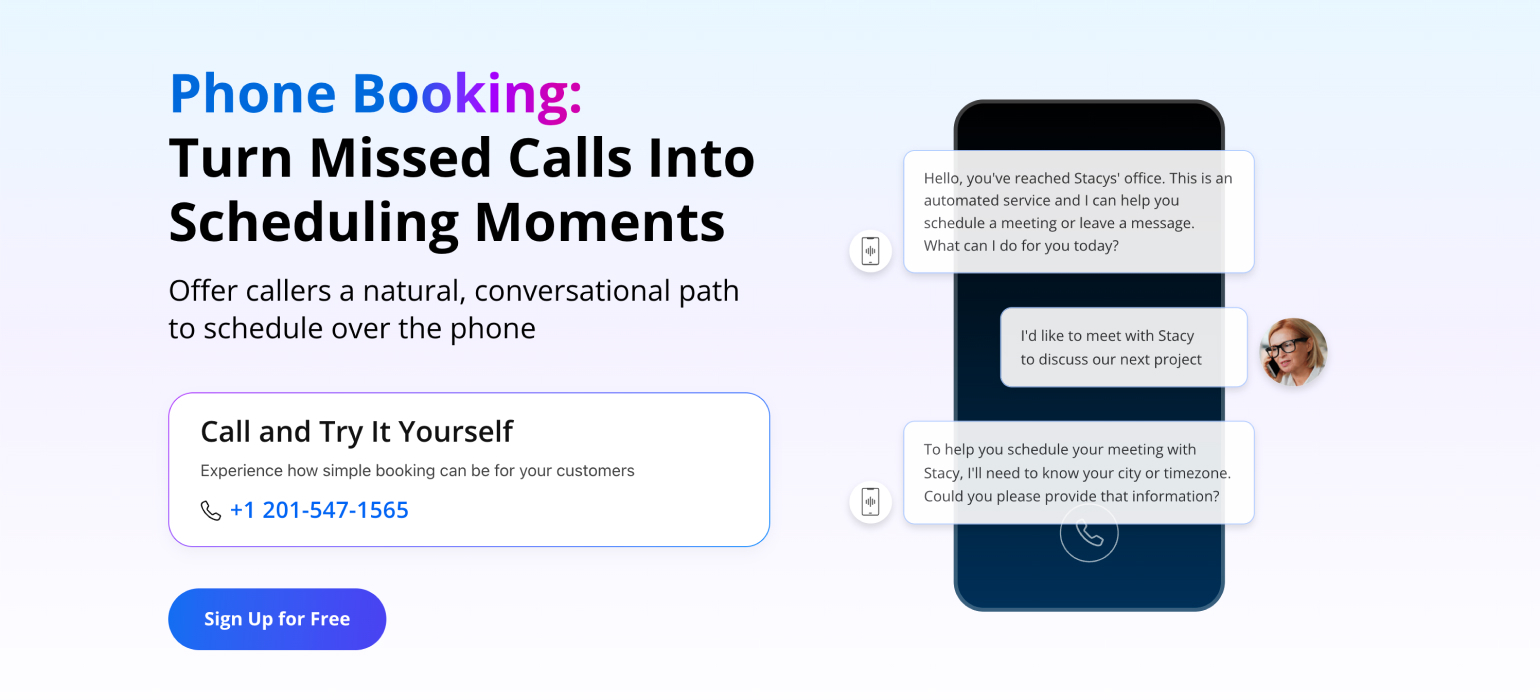
OnceHub's AI Phone Agent transforms front office productivity by replacing passive calendar links and single-threaded receptionists with an intelligent voice system that works around the clock. It answers inbound calls, holds natural two-way conversations, and runs your qualification logic before a single time slot is offered, with minimal manual intervention or engineering setup required.
Key Features
- Answers every inbound call instantly, round the clock.
- Ask your pre-configured screening questions to qualify prospects by investable assets, service type, and financial goals before booking.
- Reads your live calendar availability natively within OnceHub's own scheduling engine, eliminating double bookings and API lag.
- Routes each caller to the right advisor automatically based on their answers rather than just whoever has an open slot.
- Transfers high-priority callers directly to a live advisor while they are still on the line with no hold music and no dropped calls.
- Integrates native Model Context Protocol (MCP) server support, enabling external AI systems and large language models to securely read calendar data and manage bookings via standardized natural language protocols.
Best For
Advisory firms where inbound phone calls are the primary lead conversion event, and every unanswered call may represent a missed opportunity.
Pricing
OnceHub offers free starting plans, while the advanced AI Phone Agent functionality is available on premium paid tiers.
Get started HERE
Category 2: Client Relationship Management
Featured Platform: Wealthbox or Salesforce Financial Services Cloud
A CRM is the foundational core of any advisory practice. Without a centralized system, client context vanishes, follow-ups are missed, and compliance records fail. Platforms like Wealthbox and Salesforce Financial Services Cloud move firms away from basic contact databases toward intelligent client interaction tracking that keeps every advisor fully prepared before every client conversation.
Key Features
- Automated pipeline stages that move clients through onboarding, review cycles, and retention workflows without manual updates.
- Native API integrations with portfolio management, financial planning, and scheduling tools so data flows automatically across your tech stack.
- Communication, archiving, and recordkeeping capabilities that help firms maintain records of client interactions, notes, and document activity.
- Centralised client profiles that surface financial goals, life events, and past meeting notes before every review.
- Task automation that assigns follow-up actions to the right team member immediately after a meeting ends.
- Mobile access so advisors can review client context and log notes from anywhere between appointments.
Best For
Firms that need centralized client records, structured workflows, and compliance-aware operations. Salesforce is particularly well-suited for firms willing to invest in heavier, customized configurations.
Category 3: Portfolio Intelligence and Risk Analysis
Featured Platform: Nitrogen (formerly Riskalyze)
Manually calculating client risk tolerance is time-consuming, subjective, and difficult to explain to clients in a way that builds confidence. Nitrogen replaces that manual process with an objective, data-driven workflow that captures risk profiles through targeted assessments and maps them instantly to model portfolios. The result is a faster planning process and a clearer client conversation at every review.
Key Features
- Risk assessment questionnaires that capture client risk tolerance objectively and score it on a consistent numerical scale.
- Automated mapping of risk scores to model portfolios, eliminating the manual portfolio matching process.
- Stress testing tools that simulate portfolio performance against various market conditions, including downturns, inflation, and rate changes.
- Highly visual client-facing reports that explain complex investment strategies in plain language without requiring advisors to build presentations from scratch.
- Proposal generation tools that create branded investment proposals directly from the risk and portfolio data already in the system.
- Integration with major custodians and portfolio management platforms so data does not need to be manually imported for each analysis.
Best For
Advisors who want to standardize their planning process across a growing client base using objective risk assessment data.
Category 4: AI Meeting Assistants and Compliance Transcription
Featured Platform: Fathom
Advisors lose hours every week manually typing notes and logging action items after client reviews. Fathom eliminates that process by recording, transcribing, and summarising every client meeting automatically. The result is a complete, searchable record of every conversation that can integrate with CRM workflows, depending on configuration and supported integrations.
Key Features
- Automatic real-time transcription of every client call or video meeting with speaker identification and timestamps throughout.
- AI-generated meeting summaries that extract key discussion points, decisions made, and commitments given by both parties immediately after the call ends.
- Automatic action item capture that identifies follow-up tasks from the conversation and logs them directly into your CRM without any manual input.
- Provides timestamped records and audit logs that can support regulatory review and internal recordkeeping processes.
- Integration with Zoom, Microsoft Teams, and Google Meet, so Fathom joins and records automatically without any manual setup required per meeting.
- Searchable transcript library that allows advisors to locate any past conversation, decision, or client instruction within seconds rather than digging through notebooks or email threads.
Best For
Advisors who spend significant time after meetings writing notes and logging action items, and firms that need complete, auditable records of every client conversation for SEC and FINRA compliance purposes.
Category 5: Document Management and Secure Vaulting
Featured Platform: Box for Financial Services
Sharing sensitive financial plans, estate documents, and investment proposals through generic cloud storage tools creates both security and compliance risk. Box for Financial Services replaces that approach with enterprise-grade encrypted client portals designed to support the security and governance requirements commonly found in financial services organizations. Every document is version-controlled, access-logged, and available to clients securely at any time.
Key Features
- Institutional-grade encryption for all documents in transit and at rest, meeting the security standards required by financial services regulators.
- Automated audit trails that log every document access, edit, share, and download for full regulatory traceability.
- Client-facing secure portals that allow clients to access their financial documents at any time without using unsecured email attachments.
- Version control that ensures advisors and clients are always working from the most current document with a complete history of every previous version.
- eSignature integration that allows clients to sign financial documents electronically without printing, scanning, or mailing paper copies.
- Integration with major financial planning and CRM platforms so documents flow automatically into the right client folder without manual filing.
Best For
Firms handling sensitive client documents, estate plans, financial proposals, tax records, and investment agreements that require robust security controls and detailed audit logging capabilities.
Also read: The Hidden Cost of Phone Tag for Financial Advisors and RIAs
What Does a Financial Advisor's Day Look Like With and Without These Tools?
Here is exactly how automated workflows transform a standard advisory schedule, shifting hours from reactive data entry to proactive client engagement:
|
Time |
Without Productivity Tools |
With Productivity Tools |
|
7:30 AM |
Three apps open. A voicemail from a prospect with no context or contact details. |
One dashboard open. Two prospects have already qualified and booked overnight by the OnceHub’s AI Phone Agent. |
|
8:30 AM |
45 minutes spent manually pulling last week's meeting notes from a spreadsheet before the 9 AM call. |
Fathom generated the meeting summary automatically. Action items already logged in Wealthbox. Prep takes five minutes. |
|
9:00 AM |
Client review runs long. No latest account data available. Action items written on a notepad. |
Review runs on time. Nitrogen risk report and portfolio data are ready to present from the moment the call starts. |
|
10:30 AM |
Prospect emails asking for available times. Manual calendar check. Two options sent. Waiting for a reply. |
Prospect books directly from the advisor's email signature. No back and forth. Confirmation already sent to both parties. |
|
12:00 PM |
Lunch skipped. Backlog of CRM updates, unsigned documents, and scheduling replies to clear. |
Full lunch break. Everything from the morning has already been transcribed, summarised, and logged automatically. |
|
2:00 PM |
High net worth prospect calls mid-meeting. Goes to voicemail. Does not call back. |
High net worth prospect calls mid-meeting. AI Phone Agent qualifies them and books the appointment automatically. |
|
4:30 PM |
Final hour spent on compliance documentation and manually preparing next week's client reviews from scratch. |
Final hour spent reviewing a strategic financial plan for a long-term client. |
|
End of Day |
Eight hours worked. Roughly 90 minutes spent with clients. |
Eight hours worked. Nearly four hours spent in direct client activity. |
How Do You Build a Highly Productive Financial Advisor Tech Stack?
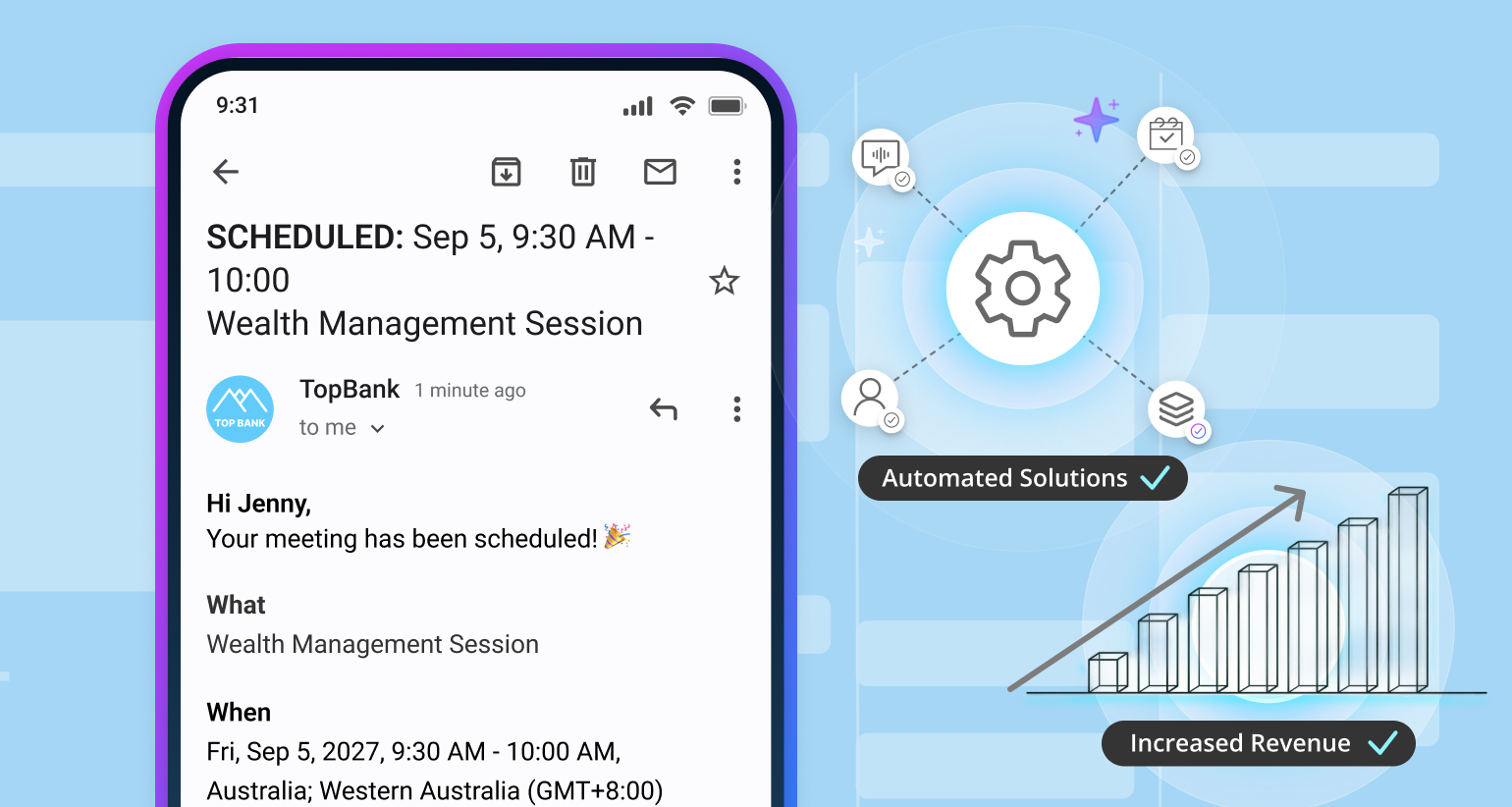
You build a highly productive financial advisor tech stack by ensuring that data flows naturally and automatically between your front office engagement tools, your central CRM, and your backend portfolio management software without manual data entry.
A fragmented software ecosystem creates massive data silos and causes administrative burnout. Conversely, a unified, highly productive workflow connects every system natively. By utilizing advanced integrations, such as OnceHub native CRM connections, you can map the entire client acquisition journey perfectly.
Here is exactly how a connected advisory tech stack executes a seamless client workflow:
- The Inbound Trigger: A prospective client calls your firm after hours or while your team is busy.
- The Intelligent Reception: The OnceHub's AI Phone Agent answers the call instantly, holds a natural conversation to qualify the prospect by asking targeted financial questions, and secures an appointment on your live calendar.
- The Data Transfer: OnceHub instantly routes that structured intake data and the full conversation context directly into your CRM, such as Salesforce or Wealthbox, updating the contact record without any human involvement.
- The Backend Automation: The CRM recognizes the new appointment and automatically triggers a welcome email containing a secure link to your risk analysis platform, like Nitrogen, while simultaneously queuing up the required onboarding documents in your secure vault.
By connecting these systems natively, the entire client acquisition and onboarding sequence happens autonomously before the advisor even steps into the office.
What should wealth managers look for when evaluating advisory software?
Wealth managers should look for advisory software that offers native integrations to eliminate data silos, strict compliance features for regulatory reporting, zero data retention security protocols, and robust mobile optimization.
When evaluating bottom-of-funnel enterprise tools for your tech stack, use this buying criteria checklist:
- Native API integrations: Ensure the platform connects seamlessly with your existing software ecosystem to eliminate manual copy and paste workflows.
- SEC and FINRA compliance features: Features that support SEC and FINRA recordkeeping and supervision requirements, such as communication logging, version control, and audit trails.
- Zero data retention security protocols: Clear data retention, privacy, and AI training policies: Vendors should clearly document how client data is stored, retained, and used.
- Mobile optimization: High-performing wealth managers operate on the go. Productivity tools must offer full functionality across mobile devices so advisors can manage their practice from anywhere.
The Best Productivity Tool for Financial Advisors: Our Pick
While a modern wealth management stack requires multiple platforms to run smoothly, the highest-impact addition a firm can make is OnceHub's AI Phone Agent. It is our top pick because it acts as a purpose-built solution to solve the most critical front-office bottleneck: inbound client engagement.
Here is exactly what sets OnceHub apart:
Conclusion
Reclaiming hours previously lost to administrative tasks elevates the overall value and profitability of an advisory practice. When you deploy the right mix of automated scheduling, intelligent CRM tracking, and seamless meeting transcription, you empower your team to dedicate all their energy to strategic planning and high-level client engagement rather than basic data entry.
Stop losing high net worth prospects to voicemail and stop playing endless phone tag. Discover how the OnceHub’s AI Phone Agent serves as the ultimate productivity multiplier by automating your scheduling directly from inbound phone interactions.
Frequently Asked Questions
How does AI scheduling protect client data and stay compliant with advisor supervision requirements?
AI scheduling for financial advisors should only be used with vendors that offer audit trails, role-based access, data retention controls, and clear terms on whether client data is used for model training. Advisors are still responsible for the communications and records created through AI, so the workflow should support human review, compliance oversight, and documented retention practices.
What features are most important to look for when selecting productivity tools for a wealth management firm?
When evaluating software, the single most critical feature is seamless, native integration capabilities, particularly between your front-office engagement tools and your central CRM to eliminate administrative data silos. Beyond connectivity, you should prioritize platforms that offer purpose-built, no-code configurations for fast deployment and ease of usage. Ensure any tool you select features robust data access controls, detailed audit logs, and clear data retention policies that actively support your firm's SEC and FINRA recordkeeping and supervision requirements.
How does MCP help AI access client data securely without giving it too much access?
MCP can connect an AI assistant to approved systems through a structured, auditable layer, so advisors can keep access scoped to specific data and workflows instead of exposing everything at once. For wealth firms, that means the AI can help with tasks like scheduling, prep, and client data lookups while preserving consent, logging, and supervision requirements.
How do productivity tools maintain compliance with financial regulations?
How do productivity tools support compliance with financial regulations? Productivity tools can support regulatory compliance efforts through access controls, recordkeeping, audit logs, communication archiving, and security controls. Firms remain responsible for meeting applicable regulatory requirements.