

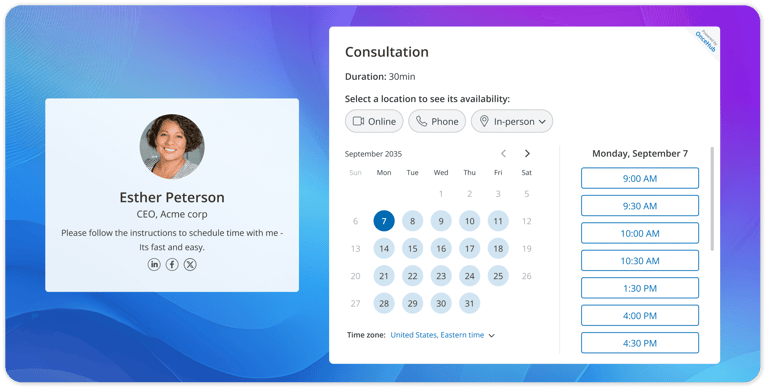
Appointment booking has entered a new phase of automation. Scheduling software is no longer just a digital calendar. It is a critical revenue engine that allows businesses to capture leads and manage team availability around the clock without manual intervention.
Research from Fortune Business Insights shows that 94% of consumers are more likely to choose a business that offers online booking, while nearly 40% of appointments are booked outside normal business hours, making automated scheduling essential for modern customer expectations.
Companies that implement modern appointment scheduling software see measurable gains in client retention, daily productivity, and total booked meetings. Those who still rely on manual outreach often end up with disorganized calendars, frustrated prospects, and wasted administrative hours.
This guide breaks down exactly what these platforms do, their top business benefits, and how to choose the best scheduling software 2026 has to offer for your specific operational needs.
TL;DR: The Quick Answer
- Definition: Scheduling software is a digital tool that automates the booking, management, and tracking of appointments and resources.
- Core Benefit: It eliminates the chaos of manual coordination, reduces missed appointments, and allows clients to book a time slot 24 hours a day.
- Key Features: You need a platform that offers two-way calendar sync, automated reminders, and client self-service portals.
Why Do Manual Booking Systems Fail?
Manual booking fails because relying on human memory and endless email chains inevitably leads to missed calls, double bookings, and lost revenue. Missed calls and back-and-forth emails are not staffing problems. They are complete system failures. When a team relies on manual calendar updates, they create major bottlenecks that frustrate potential buyers and exhaust employees. According to HubSpot customer service research, 66% of consumers expect a response from customer support within five minutes or less, making slow callbacks a major source of customer frustration.
Every manual administrative task is a leak in your revenue. When your team spends hours each week negotiating meeting times, they are not closing deals or serving current clients. Upgrading to a specialized calendar management system stops these leaks instantly. By moving away from static spreadsheets and adopting modern scheduling software, you automate the entire client intake process and protect your valuable time.
What is an Appointment Scheduling Software?
Appointment scheduling software is a digital application that automates the booking process while using smart triage and routing logic to direct clients to the correct team resources. It replaces manual calendars by allowing clients to view your live availability and select open time slots without human intervention. This technology syncs directly with your existing digital calendar to ensure your schedule is always accurate and completely prevents double bookings.
Modern appointment scheduling software goes far beyond simply blocking off time. It acts as a comprehensive operational system that handles everything from sending automated text reminders to distributing new meetings evenly across a large team. To understand how we arrived at this level of automation, it helps to look at the quick evolution of booking technology.
- The Paper Era: Businesses relied on physical appointment books and desk calendars. This required a dedicated staff member to answer every single phone call and manually write down meeting details.
- Static Web Forms: Companies eventually moved to basic online contact forms. Prospects submitted a digital request, but staff members still had to reply manually via email to negotiate and confirm the actual meeting time.
- Intelligent Booking: Today, AI-powered calendar management systems handle the entire workflow instantly. They evaluate complex routing rules, translate different time zones, and even use smart voice agents to answer inbound phone calls and secure meetings on the spot.
What Types of Scheduling Software Exist?
The main types of scheduling software include individual appointment tools, team scheduling platforms, healthcare systems, field service dispatch managers, AI-powered scheduling applications, and enterprise workforce systems. Because businesses have vastly different operational bottlenecks, the market has evolved to offer specialized solutions for specific use cases.
What Features Are Essential in Modern Scheduling Software?
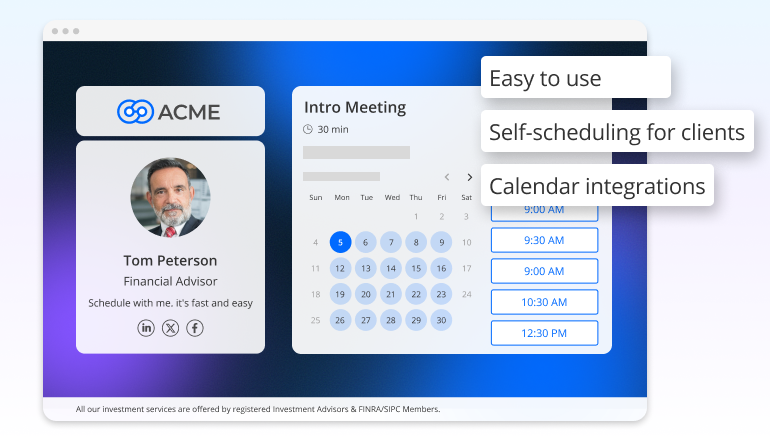
The most essential features in modern scheduling software include frictionless online booking, automated meeting distribution, calendar boundary controls, smart triage forms, native tech integrations, and advanced AI voice agents. Modern businesses evaluate their calendar management platforms using these specific operational categories.
1. Create a Frictionless Guest Experience
A complicated booking process pushes prospects away. Your system must make the client experience effortless from start to finish.
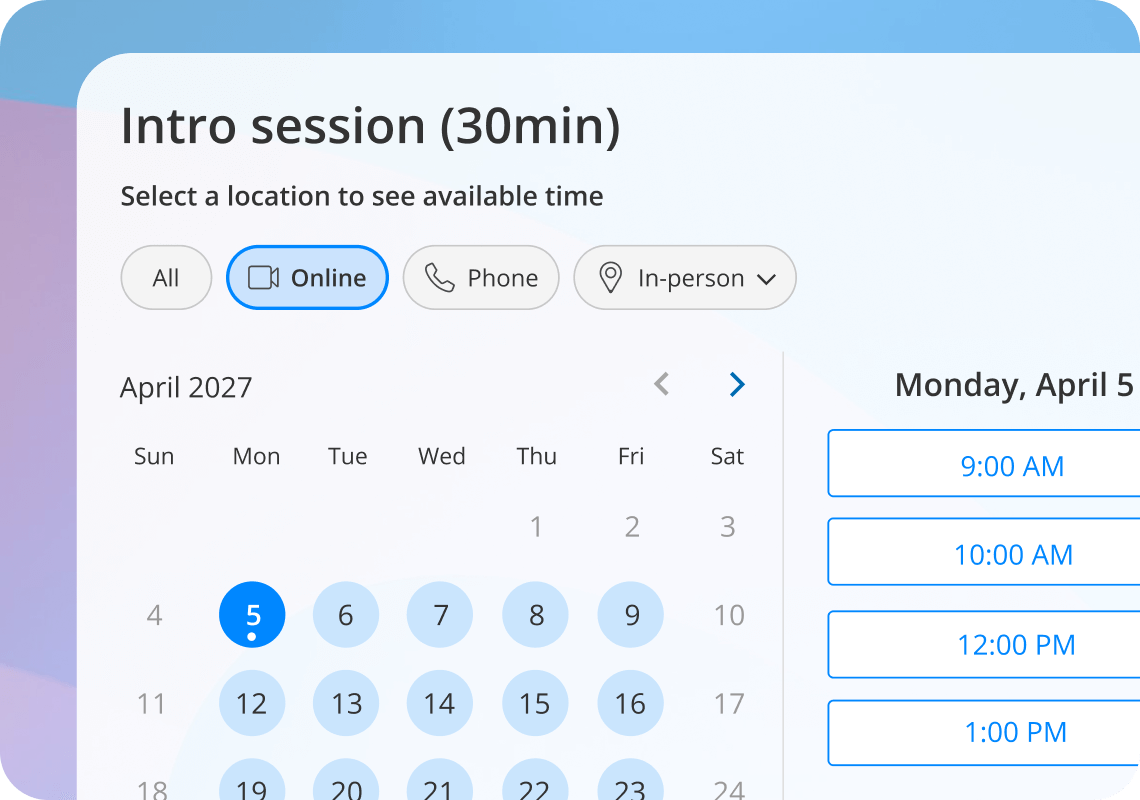
- 24/7 Booking Pages: Clients should be able to view your live availability and select a time slot at their own convenience without creating a user account.
- Self-Service Rescheduling: Give clients the power to cancel or move their own meetings without needing to contact your support team.
- Automated Notifications: Sending automated text and email reminders protects your schedule. Data from PMC shows that digital notifications reduce missed appointments by up to 25%.
2. Automate Internal Coordination and Meeting Distribution
If you manage a large team or multiple office locations, your platform must handle the logistics of matching clients to the right staff member automatically.
- Smart Routing: The system should direct a new prospect to the correct specialist based on their specific business needs.
- Workload Balance: You need tools that use round robin logic to distribute new appointments evenly across your team based on live availability. You can learn exactly how this works in our guide to automated meeting distribution.
3. Stay in Control by Setting Calendar Boundaries
You cannot jump between client calls all day without sacrificing the quality of your work. Your appointment system must protect your personal boundaries.
- Two-Way Calendar Sync: The platform must read your Google or Outlook calendar instantly to completely prevent double bookings.
- Automated Buffer Times: Set mandatory gaps between sessions so you always have time to prepare for the next meeting. You can easily configure buffer times to protect your daily schedule.
- VIP Calendars: Create private booking links for premium clients who need immediate priority access to your calendar.
4. Build Context Through Routing and Triage
Gathering client information before the first meeting saves you valuable administrative time.
- Custom Intake Forms: Use secure routing forms to collect essential background details before the client ever joins the call.
- Smart Triage: Ask preliminary qualifying questions to ensure the prospect is a good fit for your business before they secure a time slot.
5. Connect Your Workspace Through Native Integrations
Your calendar management system cannot exist on an island. It must communicate perfectly with the other tools you use to run your operations.
- CRM Connections: Your scheduling tool should connect easily to your existing customer relationship management software to log all meeting data automatically.
- Payment Gateways: Securely collect consultation fees upfront using native connections to payment processors like Stripe or Square.
- Video Conferencing: The software must automatically generate secure video links for virtual meetings so you never have to copy and paste meeting URLs again.
6. Capture Revenue with AI Voice Scheduling
Modern businesses are moving far beyond static web pages. They are using artificial intelligence to capture highly motivated buyers instantly.
- Instant Call Answering: When you are busy with a client, you cannot answer the phone. OnceHub's AI phone agent can answer inbound calls securely while you work.
- Live Booking: The AI phone agent holds a natural conversation with the caller and books the appointment directly onto your calendar immediately.
Also read: Narrow AI vs General AI: What Works Best for Businesses?
What Are the Business Benefits of Appointment Scheduling Software?
The primary business benefits of appointment scheduling software include a sharp reduction in missed appointments, massive administrative time savings, higher lead conversion rates, and the complete elimination of manual booking errors. Implementing this technology provides an immediate return on investment for any growing team.
Before exploring the specific benefits, it helps to understand how this technology differs from the basic tools you already use. Many business owners confuse scheduling software with standard calendar applications, but they serve two very different operational purposes.
|
Feature |
Basic Calendar Apps (Google, Outlook) |
Dedicated Scheduling Software |
|
Primary Function |
Acts as a private internal ledger to track daily personal tasks. |
Acts as an external booking engine to automate client intake. |
|
Client Access |
External clients cannot safely view or interact with your live availability. |
Clients view open times and secure meetings 24 hours a day. |
|
Automation |
Requires repetitive administrative data entry for every new meeting. |
Automates text reminders, time zone conversions, and intake forms. |
|
Team Routing |
Displays individual schedules without any intelligent meeting distribution. |
Uses smart rules to distribute meetings evenly across multiple staff members. |
Once you upgrade from a basic calendar application to a dedicated booking engine, your business will experience several immediate operational advantages.
- Reduced No Shows: Sending automated text and email reminders directly protects your revenue by keeping clients accountable. Medical and business research published in BMJ Open confirms that automated digital notifications reduce no-shows by up to 25%.
- Significant Time Savings: This technology eliminates hours of manual administrative work every single week. Instead of managing chaotic email chains to find a working time, your team can focus entirely on high-value tasks like closing deals and serving current clients.
- Higher Lead Conversion Rates: Modern consumers expect immediate service. By providing a 24/7 online booking page or utilizing OnceHub's AI phone agent to answer inbound calls instantly, you capture new leads at the exact moment they are most motivated to buy.
- Total Error Reduction: Manual calendar management inevitably leads to human mistakes. Automated platforms read your live availability and handle complex time zone conversions in the background, eliminating embarrassing double bookings.
Which Businesses Benefit Most from Online Scheduling Software?
Any organization that relies on meetings to drive revenue or manage resources can benefit from online scheduling software, including financial consultants, healthcare providers, legal firms, recruitment teams, and real estate agents. While every industry saves time with automation, the specific way they apply these systems depends on their unique operational goals.
Financial Advisors and Consultants
Trust and professionalism are critical in the financial sector. Consultants use calendar management systems to share professional links that sync directly with their client records.
Eg: Imagine a financial planner who needs to schedule quarterly reviews for 50 different clients. Instead of sending 50 individual emails and waiting for replies, they send one link. The client picks a time, the system sends a confirmation, and the advisor finds a perfectly organized week without lifting a finger.
Visit our page HERE.
Healthcare and Wellness Practices
Medical providers require strict data security. Healthcare clinics use these platforms to offer secure patient booking and collect medical history through HIPAA-compliant intake forms.
Eg: A busy physical therapy clinic often deals with patients who forget their appointments. By using a platform that sends automated text reminders 24 hours before the session, the clinic reduces its empty time slots by up to 30% and keeps its specialists productive all day.
Service Businesses and Agencies
Marketing and consulting agencies deal with complex team availability across different time zones. Service businesses use these systems to handle team routing and capacity management.
Relatable Example: A digital marketing agency receives a high-value lead through their website. OnceHub's AI phone agent answers the call immediately, asks a few qualifying questions about the project budget, and books the lead directly onto the senior strategist's calendar while they are still on the phone.
Education and Universities
Academic institutions manage hundreds of student meetings every week. Universities use digital booking platforms to handle advising sessions and coordinate tutor shifts.
Relatable Example: An academic advisor who previously had a long line of students outside their door now uses a simple booking page. Students select a 15-minute window for course registration, which prevents hallway crowding and allows the advisor to prepare for each student in advance.
Recruitment and Human Resources
Recruiters spend a large portion of their day trying to coordinate interviews between candidates and busy hiring managers.
Eg: A recruiter finds a top-tier candidate and wants to move quickly before a competitor hires them. They send a scheduling link that shows the live availability of three different department heads. The candidate picks a slot that works for everyone, and the system automatically sends the secure video meeting link to all participants.
Real Estate and Property Management
Real estate agents are often on the road and cannot easily answer every inbound inquiry about a new listing.
Eg: A potential buyer sees a house they love on a Sunday afternoon. Instead of leaving a voicemail and waiting until Monday for a reply, they click a link in the listing and book a 20-minute walkthrough for the following morning. The agent receives a notification on their phone and simply shows up at the property at the confirmed time.
Legal Professionals
Attorneys and law firms need to manage discovery calls and client consultations while maintaining strict confidentiality and professional boundaries.
Eg: A law firm uses custom intake forms to gather basic case details before a new client books a paid consultation. This ensures the attorney has all the necessary context before the meeting starts, making the initial session much more productive and professional.
Also read: How to Avoid Playing Phone Tag with AI Phone Agent
How Do You Choose the Best Appointment Software for Your Business?
To choose the best appointment software for your business, you must ensure it offers two-way calendar sync, scales with team routing features, provides a mobile-friendly client experience, and connects easily with your existing technology stack. Use this quick checklist to evaluate your options before committing to a new platform.
Does it offer two-way calendar sync?
Your platform must read your current Google or Outlook schedule and update it instantly. This is the only way to prevent embarrassing double bookings and keep your live availability perfectly accurate.
Does it scale with advanced team routing?
As your business grows, a basic digital calendar will not be enough. You need a system that can automatically distribute new meetings evenly across multiple staff members based on their specific skills and live availability.
Is the client experience mobile-friendly?
The vast majority of buyers browse websites on their phones. Your calendar management system must look professional and be exceptionally easy to use on any mobile device without requiring the user to zoom in or download a separate application.
Does it connect to your existing technology stack?
The best platforms integrate natively with the daily tools you already use. Ensure the system connects directly to your customer relationship management software, your secure payment gateways, and your video conferencing applications.
Why is OnceHub the Best Scheduling Platform for Growing Teams?
OnceHub is designed for growing teams that need advanced routing, AI scheduling, and meeting distribution.
Instead of patching together basic web forms and manual spreadsheets, OnceHub gives you a comprehensive operational tool designed to capture revenue around the clock. By upgrading to OnceHub, you move past basic digital calendars and gain a system built specifically for business growth.
- Intelligent Routing Forms: Stop wasting time on unqualified leads. Use custom forms to ask preliminary questions and automatically direct qualified prospects to the right booking calendar based on their answers.
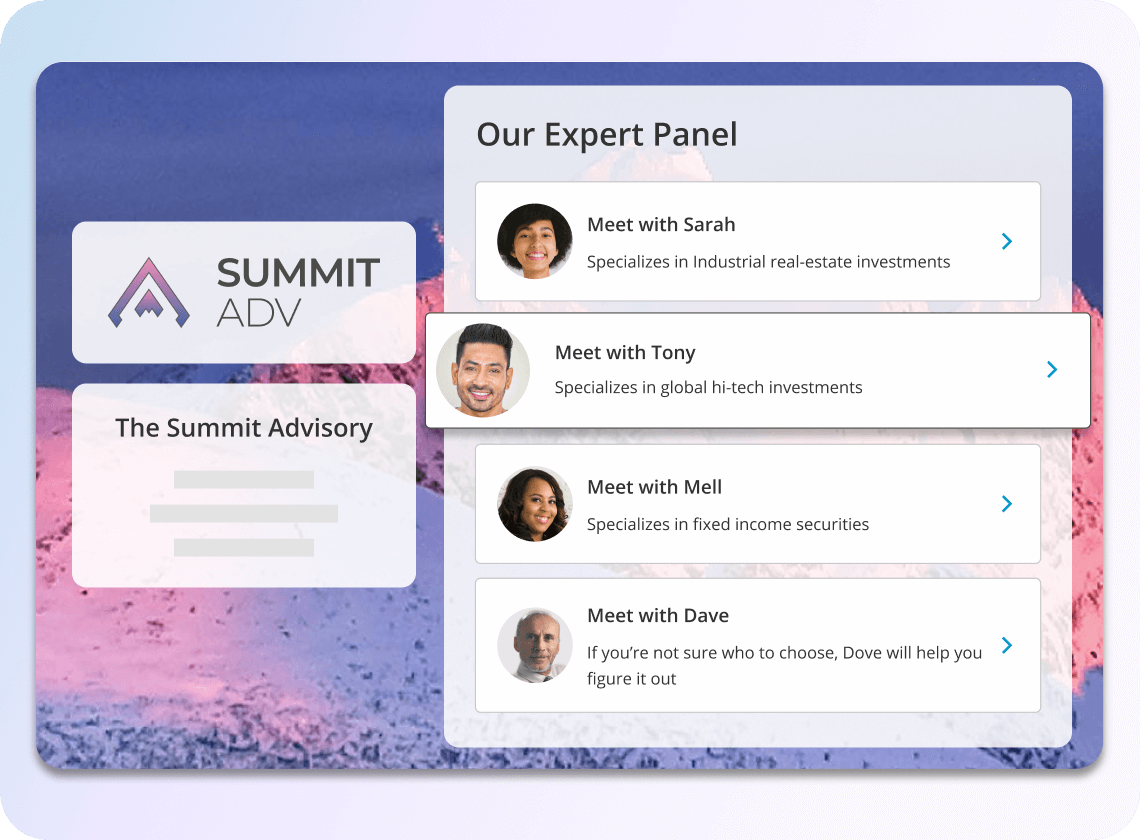
- Unified Booking Hubs: If you manage multiple departments or specialists, you can build a single master page. Booking hubs allow clients to view all available services in one place and select the exact team member they want to speak with.
- OnceHub's Chatbot: Capture website visitors at the exact moment of high intent. OnceHub's chatbot engages prospects directly on your site, qualifies their needs through a quick conversational flow, and books meetings instantly.
- OnceHub's AI Phone Agent: Never lose a prospect who prefers to call. OnceHub's AI phone agent answers inbound calls instantly, holds a natural conversation, and books the appointment directly onto your calendar while your team is busy working.
- Advanced Meeting Distribution: Stop manually assigning leads. The system automatically routes new prospects to the right team member based on their live availability and specific business skills.
- Strict Security and Compliance: Whether you need standard business privacy or strict HIPAA compliance for healthcare practices, the platform ensures all client data remains completely protected.
- Native Tech Integrations: Connect your booking pages directly to your existing customer relationship management platform, video conferencing software, and secure payment processors without writing any code.
What Are the Most Common Mistakes When Implementing Scheduling Tools?
The most common mistakes businesses make when implementing scheduling tools include failing to set adequate buffer times, overcomplicating the intake form, and neglecting to turn on automated SMS reminders. Avoiding these early pitfalls ensures your team actually adopts the new system.
- Failing to set adequate buffer times: When you forget to configure mandatory calendar gaps between meetings, you risk creating a chaotic workday. Buffer times ensure you always have enough room to prepare your notes and recharge before the next client arrives.
- Overcomplicating the intake form: Asking too many qualifying questions upfront creates friction. Keep your initial routing forms short and focused only on the essential details so prospects do not abandon the booking page before finishing.
- Not utilizing automated SMS reminders: Relying solely on email confirmations is a massive missed opportunity. Text messages have significantly higher open rates, and leaving this feature turned off means you miss out on the easiest way to drastically reduce no-shows.
Conclusion
Scheduling software transforms your daily operations by completely automating your calendar management, eliminating manual administrative work, reducing missed appointments, and providing a highly professional booking experience for your clients.
Upgrading to a modern appointment platform is the fastest way to stop revenue leaks caused by inefficient manual processes. As we covered in this guide, moving away from manual coordination allows you to leverage powerful features like two-way calendar sync, smart meeting distribution, and automated text reminders. Whether you manage a private healthcare clinic, a financial consulting firm, or a growing service agency, adopting this technology allows you to focus entirely on high-value client relationships instead of wasting hours on administrative coordination.
Stop losing valuable time and potential buyers to outdated calendar processes. If you are ready to eliminate manual work, organize your daily schedule, and start converting more leads around the clock, you can get started right now.
Frequently Asked Questions
Is online appointment scheduling software secure for medical clinics and patient data?
Yes, online appointment scheduling software is highly secure for medical clinics as long as you choose a platform built specifically for strict HIPAA compliance. These specialized systems use end-to-end encryption to ensure all protected health information and custom intake forms remain completely private and legally compliant.
How does calendar management software prevent double bookings across different time zones?
Calendar management software prevents double bookings by automatically reading your live availability through two-way calendar sync and adjusting the display times based on the client's local time zone. When a buyer selects a time slot, the system immediately blocks that exact period on your connected Google or Outlook calendar to ensure nobody else can claim it.
Do clients need to download a separate application to book a meeting with my team?
No, clients do not need to download a separate application to book a meeting with your team. Modern scheduling platforms use mobile-friendly web links that open instantly in any internet browser, allowing buyers to view your availability and confirm their meeting in just a few simple clicks.
Can I connect my digital booking page directly to my existing customer relationship management system?
Yes, you can connect your digital booking page directly to your existing customer relationship management system using native integrations. This automation ensures that every time a new lead books a meeting, their contact details and consultation history instantly populate into your client database without any manual data entry.
Also read: Connecting OnceHub to Your CRM
How do automated text reminders actually help businesses save money?
Automated text reminders help businesses save money by keeping clients accountable and reducing missed appointments by up to 25%. When you lower your no-show rate through digital notifications, you stop wasting valuable staff hours and capture the full revenue for the time slots you have made available.