


The best scheduling software for financial advisors uses intelligent routing and native CRM integrations to qualify prospects before they book a meeting. Every hour spent playing phone tag with high-net-worth clients is an hour not spent managing wealth or growing your practice. For modern financial advisors, manual booking processes and outdated calendar links damage the professional image of a firm. Worse, allowing anyone to book a slot without screening leads to revenue lost to unqualified meetings.
According to Kitces research, the typical advisor spends only about 20% of their working time actually meeting with clients, while over 45% goes to behind-the-scenes tasks like meeting prep, financial planning analyses, and investment management.
TL;DR
- The best scheduling software must include intelligent routing to qualify leads before booking.
- Deep native integrations with top advisor CRMs like Wealthbox and Redtail are non-negotiable.
- Top tool recommendations include OnceHub for advanced routing and voice booking, Calendly for basic solo needs, and Acuity Scheduling for paid sessions.
How We Evaluated These Tools
We evaluated each scheduling platform based on criteria tailored specifically to wealth management operations:
- Advisor-Specific Workflows: Support for discovery calls, annual reviews, and client consultations.
- CRM Integrations: Native, real-time syncing with Wealthbox, Redtail, and Salesforce.
- Lead Qualification & Routing: Ability to filter prospects by investable assets or goals before booking.
- Multi-Channel Experience: Support for digital links, embedded forms, and AI phone booking.
- Security & Compliance: Alignment with data privacy standards for financial services.
Why Do Financial Advisors Need Specialized Scheduling Software?
Generic scheduling tools work well for casual meetings but fail in wealth management. Financial advisors manage sensitive information, complex client relationships, and strict time constraints. A standard booking link treats every visitor equally, which creates administrative chaos when managing a growing advisory firm. Specialized software ensures that your calendar works as a filter rather than an open door.
What Is the Cost of Unqualified Meetings?
Allowing anyone to book a slot drains billable hours. If a prospect books a one-hour consultation but does not meet your minimum investable assets, you lose time that could have been spent with a qualified lead.
If even 25% of leads are clearly unqualified, that equates to 25% of sales payroll being discarded before any productive work begins. Clients who convert despite being a poor fit drain resources and churn quickly.
Advisors need tools that separate general inquiries from qualified prospects based on specific financial criteria. By qualifying leads upfront, you protect your calendar and ensure every meeting has business value.
Why Is Data Security and Compliance Critical?
Wealth management operates under tight regulatory constraints. Capturing financial data during the booking process requires strict privacy standards. Specialized scheduling software ensures that client data is protected. This compliance protects the firm from legal liabilities and builds trust with clients before the first conversation begins.
What are the must-have features in Advisor Scheduling Tools?
To scale operations, a wealth management firm needs more than a digital calendar. The software must act as an administrative assistant, screening prospects and organizing data. Here are the specific capabilities financial advisors require.
How Do Intelligent Routing Forms Qualify Leads?
Traditional booking pages show available times first and ask questions later. Intelligent routing forms reverse this process. By asking prospects about their financial goals or portfolio size before showing a calendar, you ensure they meet firm minimums. If a prospect does not qualify, the system can redirect them to a different resource or a junior planner. This automation saves time and keeps your pipeline filled with viable leads.
Expert Insight:
Many advisory firms assume scheduling software is simply a calendar tool. In practice, the biggest operational improvement usually comes from qualifying prospects before they reach an advisor's calendar. Independent advisors and RIAs that automate this step spend far less time on unqualified meetings and significantly more time with high-net-worth clients who match their ideal profile.
Why Are Native CRM Integrations So Important?
Advisors debate heavily in online forums about the best CRM, often comparing Wealthbox, Redtail, and Salesforce. A scheduling tool is only as good as its ability to sync with these specific systems. Native CRM integrations ensure that when a prospect books a meeting, their contact information and form responses flow directly into your database. This eliminates manual data entry and ensures your team has accurate records before the consultation begins.
How Does Multi-Channel Booking Improve Client Experience?
Firms must accommodate all client demographics to maximize booking rates. While younger prospects might prefer digital web links, older or high-value clients often prefer a phone call. Offering multi-channel booking ensures you never miss a lead. With OnceHub's AI phone agent, clients can call and book appointments through natural conversation. The voice agent checks your live availability and secures the meeting, providing a professional experience for clients who prefer voice interaction.
Also read: The Best AI Call Answering Services in 2026: A Complete Buyer’s Guide
How Do the Top Scheduling Tools for Advisors Compare?
Advisory firms need platforms that go beyond basic availability syncing. The right tool should qualify prospects, route them to the right advisor, reduce no-shows, and integrate with your existing tech stack. Here is a detailed breakdown of the three leading platforms built for financial professionals.
1. OnceHub: Best for Multi-Advisor Firms With Complex Routing Needs
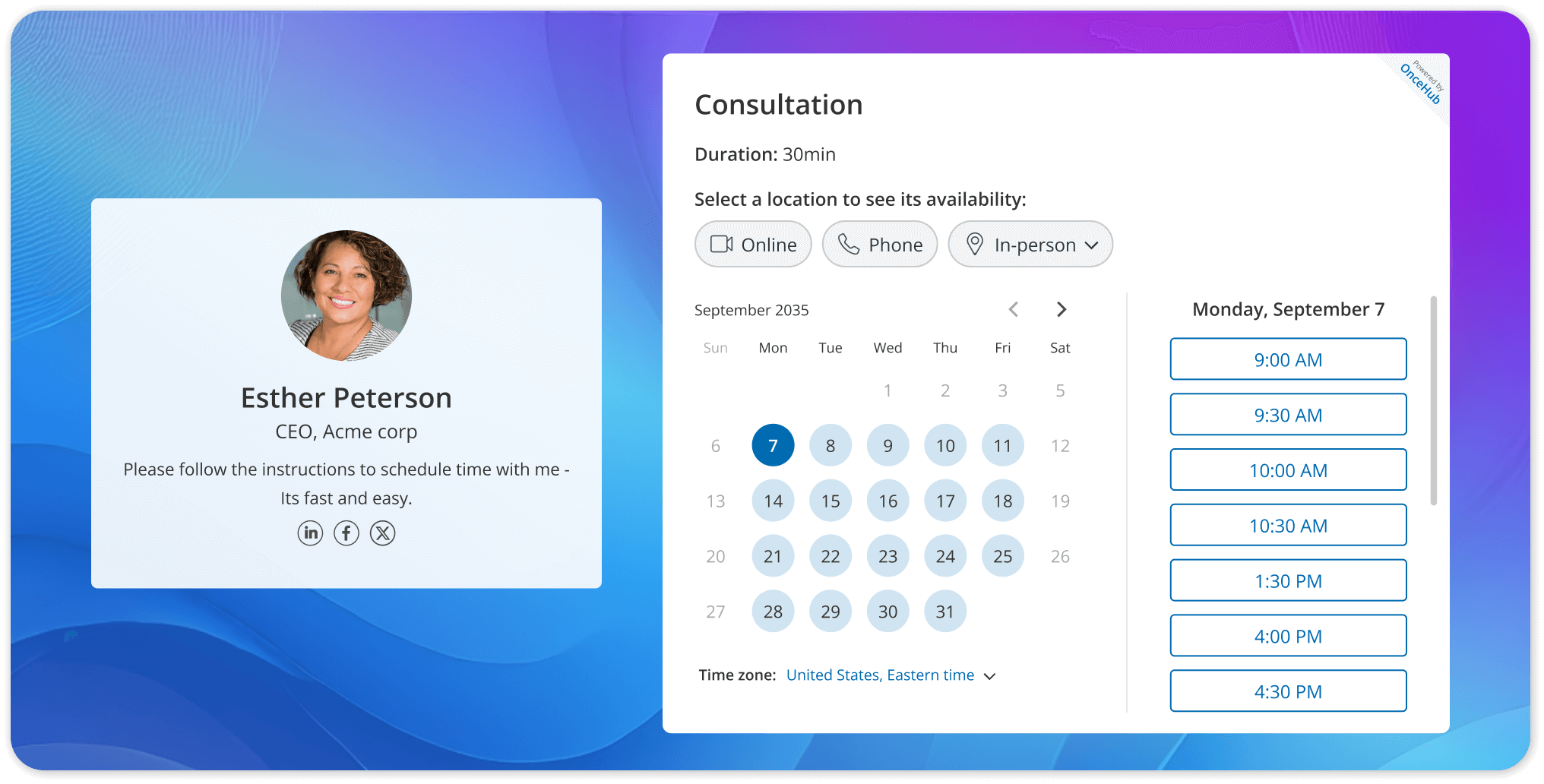
OnceHub helps organizations of all sizes fast-track sales and streamline service delivery with appointment scheduling and digital engagement solutions that adapt to customers' preferences in real time. It screens visitors for fit, matches them to the right expert, and delivers a polished, branded experience before the conversation even begins. For advisory firms managing multiple advisors across different specializations and client tiers, OnceHub functions as a full lead qualification engine, not just a calendar tool.
Key Features
- Advanced routing logic: Route prospects to specific advisors automatically based on answers to intake questions such as investable assets, retirement timeline, or service type, ensuring the right advisor receives the right prospect every time.
- AI Phone Agent: Launched in February 2026, the AI Phone Agent allows prospects to call in and schedule meetings through natural conversation, a critical capability for firms whose high-net-worth clients prefer the phone over web forms.
- Always-on booking: When the office is closed, OnceHub stays open. Phone agents answer calls and book meetings around the clock, and web chatbots answer questions and route visitors to the right outcome.
- Multi-calendar sync: Syncs with Google and Microsoft calendars, with real-time availability detection across team members to prevent double-booking.
- CRM & payment integrations: Works with Salesforce and HubSpot for CRM, Stripe and PayPal for payments, and thousands of additional tools through automation platforms like Zapier, Make, and others.
- Group and round-robin scheduling: Distribute client meetings evenly across an advisor team or assign based on workload and expertise.
Use Cases for Financial Advisors
- A prospect fills out a pre-booking form indicating $750K in investable assets. OnceHub automatically routes them to your senior wealth advisor rather than a junior planner.
- An older client calls the firm's main number after hours, and the AI Phone Agent handles the conversation and books the meeting without any staff involvement.
- A multi-location RIA uses round-robin routing to distribute inbound discovery calls evenly across five advisors, preventing calendar overload on any single team member.
- A firm running paid digital ads uses OnceHub's qualification forms to screen out prospects below their minimum asset threshold before a meeting is ever confirmed.
Pricing
OnceHub offers five pricing tiers: Basic at $0, Schedule at $12/seat/month, Route at $23/seat/month, Engage at $47/seat/month, and Enterprise at custom pricing. A 14-day free trial is available. Firms needing full routing and AI capabilities will require the Route or Engage tier.
Get started: oncehub.com/pricing
2. Calendly: Best for Solo Advisors Who Need a Clean, Fast Setup
Calendly is the most widely adopted scheduling platform globally and the default starting point for professionals who want to eliminate back-and-forth scheduling immediately. It enables seamless sharing of availability with clients or teammates to book time without back-and-forth emails, and its integration with popular calendars and video tools like Zoom or Teams works particularly well. For independent financial advisors with a referral-driven practice, Calendly delivers everything needed in a clean, fast setup that most users master within minutes.
Key Features
- One-click availability sharing: Send a booking link via email or embed it on your website; clients self-select a time that works for both parties instantly.
- Automated email reminders: Reduce no-shows with automated confirmation and reminder emails sent before every appointment.
- Multi-calendar sync: Connects with Google Calendar, Outlook, Office 365, and iCloud to check real-time availability across all connected calendars.
- Time zone detection: Automatically displays available times in the prospect's local time zone, eliminating scheduling errors across geographies.
- Video conferencing integration: Generates unique Zoom, Teams, or Google Meet links automatically for every booked meeting.
- Team scheduling: Supports round-robin and collective scheduling for small advisory teams on paid plans.
Use Cases for Financial Advisors
- A solo RIA adds a Calendly link to their email signature so existing clients can self-schedule annual review meetings without a single back-and-forth email.
- An advisor running a referral-based practice shares a booking link with referred prospects, allowing them to book a discovery call at their own convenience.
- A small two-advisor firm uses round-robin scheduling so inbound meeting requests are split automatically between both advisors based on availability.
- An advisor uses Calendly's website embed on their contact page as a direct call-to-action, converting website visitors into booked consultations.
Pricing
Calendly offers a free plan with basic one-on-one booking functionality. Paid plans start at $12/user/month for Standard and $20/user/month for Teams. The free plan is genuinely usable for solo advisors with straightforward scheduling needs.
3. Acuity Scheduling: Best for Fee-Only Planners and Financial Coaches Who Collect Payment at Booking
Acuity Scheduling, now part of the Squarespace family, is purpose-built for service businesses that need more than a calendar link, particularly those who collect payment at the point of booking. For businesses where clients pay at the time of booking, Acuity handles this far better than most competitors, and its client management features are significantly more robust. For fee-only financial planners, financial coaches, and advisors who monetize their time through fixed-fee engagements or paid workshops, Acuity streamlines the entire intake-to-payment flow in one place.
Key Features
- Payment collection at booking: Accept consultation fees, deposits, or full session payments via Stripe, PayPal, or Square at the moment of scheduling, eliminating separate invoicing steps.
- Customizable intake forms: Intake forms allow advisors to gather necessary client information efficiently before each meeting, including financial goals, current assets, and existing advisor relationships.
- Branded booking pages: Customize booking pages with your brand, including logo and color schemes, for a professional first impression that reflects the firm's identity.
- Packages and subscriptions: Sell bundled financial planning sessions or ongoing retainer packages directly through the booking interface.
- Automated reminders: Send email and SMS reminders before appointments to reduce no-shows, with follow-up messages configurable per session type.
- HIPAA compliance: Available on higher-tier plans, relevant for advisors who work alongside healthcare or estate planning professionals handling sensitive personal data.
Use Cases for Financial Advisors
- A fee-only financial planner charges a $250 discovery call fee upfront. Acuity collects payment at booking, so only committed, paying prospects land on the calendar.
- A financial coach sells a six-session planning package; Acuity handles the bundle pricing, scheduling of all six sessions, and automated reminders in one workflow.
- An advisor hosts monthly paid webinars on retirement planning, and Acuity manages registration, payment, and calendar invites for all attendees simultaneously.
- A solo planner uses Acuity's intake forms to collect a prospect's net worth range, primary financial concern, and investment timeline before the first call, so every discovery meeting starts with context.
Pricing
Acuity's paid plans range from $16 to $49/month, with payment processing and intake forms unlocked on entry-level paid plans. HIPAA compliance and advanced team features are available on higher tiers.
Quick Comparison at a Glance
|
OnceHub |
Calendly |
Acuity Scheduling |
|
|
Best For |
Multi-advisor firms with routing needs |
Solo advisors, simple booking |
Fee-only planners, paid sessions |
|
Lead Routing |
Advanced, asset-based |
Basic |
Intake forms |
|
AI Phone Booking |
✅ Yes |
❌ No |
❌ No |
|
Payment at Booking |
✅ Yes |
✅ Basic |
✅ Native |
|
Automated Reminders |
✅ Email + SMS |
✅ Email + SMS |
✅ Email + SMS |
|
Starting Price |
Free |
Free |
$16/mo |
|
Full Feature Tier |
$23–$47/seat/mo |
$12–$20/user/mo |
$16–$49/mo |
What Does an Ideal Scheduling Workflow for Financial Advisors Look Like?

An effective automated journey transforms calendar management from an administrative burden into a lead qualification engine. Here is what the ultimate goal looks like when you deploy the right technology.
- Step 1 Lead Capture - A prospect visits your website and clicks a booking link, or they call your main phone number, where OnceHub's AI phone agent answers the call.
- Step 2 Qualification - Before showing any available times, the digital routing form or voice agent asks the prospect about their primary financial goals and current asset level.
- Step 3 Assignment - Based on their answers, the system makes a routing decision. A prospect with $1 million in assets is routed directly to a senior wealth advisor, while a prospect seeking basic debt management is routed to a junior planner or provided educational resources.
- Step 4 CRM Sync - The system secures the appointment and instantly pushes all gathered data into your Wealthbox, Redtail, or Salesforce account.
- Step 5 The Meeting -The advisor walks into the consultation fully prepared. They already know the financial standing of the prospect and their specific needs, ensuring the conversation is productive from the first minute. Because qualification, routing, CRM synchronization, and scheduling happen in a single workflow, advisors spend less time on administrative coordination and more time preparing for meaningful client conversations.
Also read: The Hidden Cost of Phone Tag for Financial Advisors and RIAs
How Should Financial Advisors Choose the Right Software? (Buyer Checklist)
When evaluating tools for your firm, use this quick checklist to ensure the platform meets the demands of modern wealth management.
Conclusion and Next Steps
Managing a wealth management firm requires protecting your billable hours from unqualified meetings and administrative tasks. Upgrading your scheduling software from a basic calendar link to an intelligent system ensures you only meet with prospects who fit your business criteria.
By utilizing logic-based routing forms, native integrations with platforms like Wealthbox or Redtail, and multi-channel booking options, you create a professional client experience that captures every viable lead.
Stop losing time to calendar math and unqualified consultations. Take control of your schedule and accommodate every client preference, whether they want to click a digital link or make a phone call.
Sign up for a free OnceHub account today to experience how a comprehensive scheduling platform modernizes your advisory practice.
Frequently Asked Questions
What is the best scheduling software for financial advisors?
The best scheduling software for financial advisors depends on practice size and workflow requirements. Top options include OnceHub for advanced routing and voice booking, Calendly for solo setups, and Acuity Scheduling for paid consultations.
Do scheduling tools integrate with Wealthbox and Redtail?
Yes, specialized platforms offer native integrations with top financial CRMs like Wealthbox, Redtail, and Salesforce. This ensures prospect data and meeting details sync automatically without manual data entry.
How do routing forms prevent unqualified meetings?
Routing forms prevent unqualified meetings by asking prospects about their financial goals and investable assets before displaying any calendar availability. If a prospect does not meet firm minimums, the system automatically redirects them to alternative resources.
Can clients book appointments without using digital web links?
Yes, clients who prefer traditional communication can book appointments over the phone if your software supports voice coordination. OnceHub's voice agent answers inbound calls and books meetings on your calendar through natural conversation, accommodating demographics that avoid digital forms.
Are scheduling platforms secure enough for financial data?
Yes, secure platforms comply with strict data privacy standards. Financial advisors must select software that encrypts data in transit and at rest to protect sensitive client information during the booking process.
Read next: Best Psychologist and Therapy Scheduling Software (2026 Guide)