

Scheduling Software for Coaches: A 2026 Guide to Scaling Your Practice
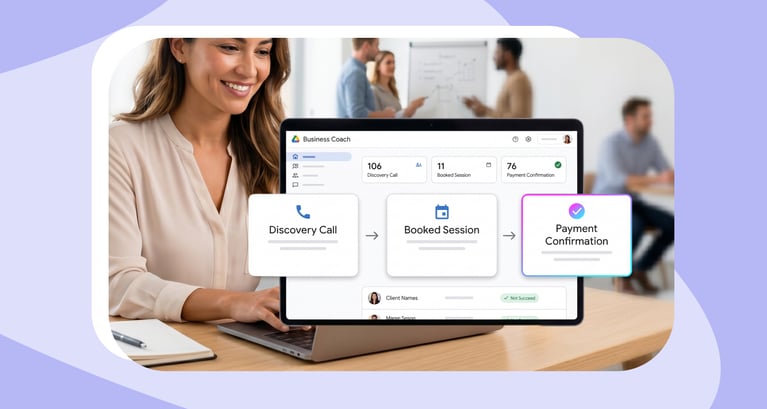
Running a coaching practice means wearing a lot of hats. You are the service provider, the marketer, the salesperson, and, without the right systems, you'll also be the scheduler, the reminder sender, and the calendar manager.
For many coaches, the administrative overhead of managing bookings does not just consume time. It actively competes with the work that generates revenue and the attention that clients deserve.
Scheduling friction shows up in predictable ways: discovery calls that never get confirmed, prospects who go cold between an enquiry and a callback, back-to-back sessions with no buffer, no-shows that could have been prevented, and a growing sense that the calendar is managing you rather than the other way around.
The right scheduling software changes that. Not by adding complexity, but by automating the logistics so you can focus on delivery.
This guide walks through what coaches specifically need from a scheduling tool, how to evaluate the features that matter at each stage of growth, and how the right platform changes what is operationally possible as your practice scales.c
Read More: Best AI Phone Assistants for Business in 2026: Features, Pricing & Comparison
Why Coaching Businesses Have Unique Scheduling Needs
Scheduling software built for general business use handles a generic appointment booking flow reasonably well. Coaching practices, however, place specific demands on the scheduling layer that generic tools were not designed to meet.
Multiple session types running simultaneously
A coaching practice is rarely a single appointment type. Discovery calls, intake sessions, recurring 1:1s, group programmes, workshops, and course-related bookings often run in parallel, each with different durations, different qualification requirements, different host assignments, and different follow-up sequences. A scheduling tool that handles one type well but requires manual workarounds for the others creates the same administrative overhead it was supposed to eliminate.
Genuine unavailability during peak hours
Coaches are structurally unavailable for large portions of the working day, inside client sessions, you cannot answer an unknown number or respond to a booking enquiry. That unavailability means inbound calls and requests consistently hit a gap. Without a system that handles those interactions automatically, the result is voicemail, a delayed callback, and a prospect whose motivation has already begun to cool.
The motivation window is narrow
Someone who calls after reading a piece of content, receiving a referral, or watching a webinar is acting on a specific moment of intent. That intent is not static, it fades over hours, not days. A callback that arrives 90 minutes later is not arriving at the same emotional moment as the original call. For coaching practices where discovery calls are the primary conversion event, the gap between inbound interest and confirmed booking is where revenue is most at risk.
Calendar complexity creates double-booking risk
Many coaches manage personal, client, and business calendars simultaneously. Without a scheduling system that reads across all of them in real time, even a well-intentioned callback can result in a double-booking, an awkward reschedule, or a discovery call that never gets confirmed because neither party can agree on a time efficiently.
The scaling inflection point
What works for a solo practice, a Calendly link in the bio, manual follow-up, a shared Google Calendar, stops working the moment a second coach is added, a group programme launches, or inbound volume increases meaningfully. The tools that got you to that point are often the ones creating the ceiling. Recognising that inflection point early and building the right infrastructure before it becomes urgent is what separates practices that scale smoothly from those that hit an administrative wall.
According to Calendly's 2024 State of Meetings report, which surveyed 1,200 business leaders across industries, the proportion of workers spending at least three hours a week on scheduling meetings has grown year over year, and it is rising fastest among client-facing professionals. For coaches managing multiple session types and inbound enquiries, the administrative burden of scheduling is not a minor inconvenience. It is one of the most consistent drains on billable time in the practice.
No more back and forth!
Handle the call in real time, qualify the prospect, and confirm a booking.
Core Scheduling Software Features Coaches Actually Need
The core scheduling software features that matter most for coaching practices map onto six functional areas. Understanding each one and what good looks like within it is the foundation of any useful tool evaluation.
Guest Experience: First Impressions Start at the Booking Page
The booking page is often the first functional interaction a prospect has with your practice. Before they have spoken to you, before they have read your full bio, they have navigated your booking flow, and that experience shapes their perception of what working with you will be like.
A poorly configured booking experience creates friction at exactly the wrong moment. A slow-loading page, a generic third-party interface, unnecessary questions, or a confirmation email that reads like a system receipt all send the wrong signal to a prospect who is evaluating whether to invest in a coaching relationship.
A well-configured guest experience includes a branded booking page that feels like a natural extension of your website, your logo, your colours, and a custom URL. For practices offering multiple session types or serving different client segments, a booking hub gives returning clients a self-service entry point where they can navigate to the right session type without contacting you first. Post-booking notification, confirmation, reminder, and follow-up should be timed appropriately and written in your voice, not generated in generic system language.
The guest experience layer is not cosmetic. It directly affects completion rates, no-show rates, and the confidence a prospect has in the first call.
Being in Control: Protecting Your Time and Energy
In a coaching practice, your energy is your product. The scheduling layer should protect it, not by requiring constant manual management, but by enforcing the conditions under which your best work happens automatically.
Buffer times between sessions are one of the most underused and highest-value configuration options in scheduling software. Back-to-back coaching calls, particularly with clients in very different situations, erode preparation time, create logistical pressure, and reduce the quality of the conversations that follow. Automated buffers before and after each session type create protected gaps without requiring you to manually block calendar time after every booking.
Working hour boundaries ensure the booking system never offers time outside the windows you have defined, across time zones, across different days, and across different session types. A system that handles these accurately in real time prevents the double-booking risk that manual calendar management creates.
VIP calendar logic allows high-value clients or retained accounts to access a separate availability pool, earlier slots, same-week availability, or protected times that general enquiries do not see. For practices with a mix of retained clients and new prospect bookings, this differentiation matters.
Booking limits cap the number of sessions per day or week for specific meeting types, preventing over-scheduling at the cost of delivery quality. For coaches who have learned the hard way what happens to client outcomes when the calendar is too full, this is a configuration worth setting early.
Building Context: Qualification Before the Calendar
A booking is only as valuable as the context that comes with it. For coaching practices where discovery calls are a qualification step — not just a sales conversation — capturing the right information before the calendar slot is offered changes everything about how that conversation goes.
Pre-screening intake forms that ask about coaching goals, current situation, budget, and timeline qualify the prospect before they see your availability. This serves two purposes: it filters enquiries that are unlikely to be a good fit before they consume calendar time, and it gives you the context to arrive at the discovery call prepared rather than starting from scratch.
Routing logic extends this further, directing different types of enquiries to the right session type, the right coach, or the right next step automatically based on the prospect's responses. A business coaching enquiry and a life coaching enquiry that come through the same booking page can be routed to entirely different flows without manual intervention.
For practices with high website traffic or significant inbound volume, chatbot-assisted booking replaces the static form with a conversational flow, guiding the prospect through qualification and scheduling in a natural interaction rather than a sequential form. The result is higher completion rates and better quality context captured before the call.
The connection between context capture and no-show reduction is also worth noting. Prospects who have invested time in a thoughtful intake form have demonstrated a level of commitment that correlates with lower cancellation and no-show rates. The qualification step is not just about the coach, it also pre-commits the prospect to the conversation.
Internal Coordination: Managing Multiple Coaches and Programmes
For solo practitioners, internal coordination is a simple problem. For practices with two or more coaches, group programmes, or co-facilitated workshops, it becomes one of the most operationally complex scheduling challenges.
Round-robin and availability-based distribution ensure that inbound discovery call bookings are distributed evenly across eligible coaches, preventing any single team member from absorbing a disproportionate share of the intake volume while others have unused capacity.
Multi-host session coordination handles workshops, group programmes, or co-facilitated sessions where more than one team member needs to be present, generating a single booking that appears correctly in all relevant calendars simultaneously.
Fallback logic ensures that when a primary coach is unavailable, the system routes to a designated backup rather than presenting the prospect with an empty calendar or an error state. For practices where a specific coach-client relationship matters, fallback logic can be configured to notify rather than reroute, preserving the relationship while managing the availability gap.
For growing practices, getting this layer right is what allows scheduling to scale without adding administrative headcount in proportion to the number of coaches or programmes being managed.
Integrations: Connecting Scheduling to the Rest of Your Business
Scheduling software does not operate in isolation. Its value is amplified significantly by how well it connects to the other tools your practice depends on.
Calendar sync — two-way, real-time synchronisation with Google Calendar or Microsoft Outlook — is the foundation. Any scheduling tool that does not handle this reliably will create conflicts that undermine everything built on top of it.
Video conferencing — automatic Zoom, Google Meet, or Microsoft Teams link generation means every confirmed booking arrives with a working meeting link already in the calendar invite.
CRM integration — for practices tracking client relationships, pipeline, or referral sources, connecting your scheduling tool to Salesforce, HubSpot, or a similar platform means that booking data flows directly into your client records without manual entry.
Payment integration — for practices that require payment at the point of booking, built-in payment collection or integration with Stripe or PayPal removes a separate administrative step and reduces no-show rates by adding a financial commitment to the booking.
Email marketing and automation — connecting your scheduling tool to your email platform allows confirmed bookings to trigger onboarding sequences, pre-session preparation emails, or post-session follow-up automatically.
Operations: Understanding What Your Scheduling Data Is Telling You
The operations layer is where scheduling data becomes practice intelligence — and it is the area most consistently underused by coaching businesses that have invested in scheduling software.
No-show tracking by session type and booking source tells you where your drop-off is concentrated. If discovery calls booked more than five days in advance have a significantly higher no-show rate than same-week bookings, that is a signal about optimal lead time. If bookings from a particular channel cancel within 24 hours at a higher rate, that is a signal about qualification quality at that acquisition point.
Booking volume and capacity utilisation show you how your available sessions are being consumed, which session types are in highest demand, which coaches have unused capacity, and whether your availability configuration reflects your current priorities.
Conversion analytics close the loop between a confirmed booking and a downstream outcome. Which discovery call sources produce the highest proportion of retained clients? Which intake form configurations produce the most qualified conversations? This data is what allows scheduling decisions to be made on the basis of outcome rather than assumption.
Page and link performance, for practices running multiple booking pages across different programmes, campaigns, or client segments — shows which pages are generating volume and which are seeing abandonment before completion.
According to AgentZap's 2026 Appointment No-Show Statistics report, a comprehensive review of 105 studies across multiple specialties and clinic types identified an average no-show rate of 23%, with rates ranging from 5.5% to 50% depending on the specific context. For professional services and consulting, Curogram's 2025 no-show rate guide places the typical range at 5% to 20%. Tracking this data in your scheduling platform is what allows you to identify where your specific drop-off is concentrated and address it with targeted configuration changes rather than generic fixes.
How to Reduce No-Shows in Your Coaching Practice
No-shows in coaching carry a particular cost. Unlike a retail appointment or a service booking, a missed coaching session is not just a scheduling gap, it is a disruption to the continuity of a relationship that depends on consistent engagement.
Configure a structured reminder sequence
The most reliable no-show reduction lever available in scheduling software is an automated reminder sequence: confirmation on booking, a 24-hour reminder, and a one-hour reminder before the session. Each reminder should be written in your voice, clearly state the meeting details, and include the conferencing link. A generic system notification is meaningfully less effective than a reminder that feels like it came from you. According to MGMA research via AgentZap, organisations using both email and text reminders report show rates of up to 90% for scheduled appointments, and SMS reminders produce a 50% improvement in attendance rates compared to no reminders.
Make rescheduling easier than not attending
A significant proportion of no-shows happen not because the client does not want to attend but because rescheduling feels like too much friction. Self-service rescheduling, where the client can change their booking independently without contacting you, removes that barrier. When changing is easy, clients reschedule rather than simply not appearing.
Use intake forms as pre-commitment tools
Prospects who have completed a thoughtful intake form before booking have invested time and demonstrated a level of commitment that correlates with lower no-show rates. The qualification step is not just about filtering fit; it also creates a psychological investment in the conversation that follows.
Review booking lead time data
Most scheduling platforms track no-show rates by booking lead time. If your data shows a clear correlation between longer lead times and higher no-show rates, adjusting your availability configuration to reduce the gap between booking and session can produce a measurable improvement without any other change. Research published in PMC/NIH found that next-day appointments were 2.9 times more likely to become missed appointments than same-day appointments, suggesting that booking lead time is one of the most actionable variables in no-show reduction.
Scheduling Software Comparison: Best Tools for Coaches in 2026
What to Evaluate Before Choosing
Before comparing specific tools, the evaluation criteria matter. For coaching practices, the most important factors are:
- Native calendar integration vs. API-dependent connections — a scheduling tool that reads your calendar through a third-party API introduces lag and the risk of offering time slots that no longer exist. A native integration reads live availability directly.
- Session type flexibility — can the tool handle discovery calls, recurring 1:1s, group sessions, and intake bookings within the same platform, or does each require a workaround?
- Setup complexity relative to your team — a highly configurable platform that requires developer involvement to set up is not an advantage for a solo practitioner or a small team without technical resources.
- Pricing model at scale — flat-rate SaaS models are more predictable for growing practices than usage-based pricing that spikes during launch weeks or campaign periods.
- AI capability — conversational booking, phone agent integration, and intelligent routing are increasingly relevant for practices handling meaningful inbound volume
OnceHub — Best for Scheduling-Led Coaching Practices
OnceHub is built around scheduling as the primary outcome, with native calendar integration and routing logic at the core of the platform. Its phone agent capability is particularly relevant for coaching practices where inbound calls are a meaningful acquisition channel — handling calls during sessions, qualifying the prospect, and confirming a discovery call booking without a callback loop.
- Session types: Discovery calls, recurring 1:1s, group sessions, intake bookings — all supported natively
- Guest experience: Branded booking pages, hub pages for multi-service practices, customisable notifications
- Routing and qualification: Intake forms, conditional routing, chatbot-assisted booking
- AI capability: Phone agent integration with native scheduling engine
- Integrations: Google Workspace, Microsoft 365, Zoom, HubSpot, Salesforce
- Best for: Practices where booking precision, inbound call handling, and routing logic are priorities
- See pricin
Calendly — Best for Simple, Fast Setup
Calendly is the most widely used scheduling tool in the coaching category and offers a clean, intuitive experience for both hosts and guests. It handles individual and team scheduling reliably and integrates with the most common calendar and conferencing tools.
- Session types: 1:1 and group sessions well supported; more complex routing requires higher-tier plans
- Guest experience: Clean booking pages, customisable to a degree, strong notification sequences
- Routing and qualification: Routing forms available on higher plans; qualification depth is more limited than purpose-built intake tools
- AI capability: Developing — basic automations available, AI features still maturing
- Integrations: Google, Outlook, Zoom, HubSpot, Salesforce, and a wide range of third-party tools via Zapier
- Best for: Solo coaches and small practices that prioritise ease of setup and a polished guest experience over complex routing logic
- See pricing
Acuity Scheduling — Best for Service-Based Coaching Practices With Payments
Acuity Scheduling is a strong option for coaches who need built-in payment collection, package management, and intake forms within a single platform.
- Session types: Strong support for individual and group sessions, packages, and subscriptions
- Guest experience: Customisable booking pages, intake forms built in, payment collection at booking
- Routing and qualification: Intake forms supported; routing logic more limited than dedicated tools
- AI capability: Limited — Acuity is not currently a primary AI scheduling platform
- Integrations: Google Calendar, Outlook, Zoom, Stripe, PayPal, and a range of marketing tools
- Best for: Coaches who want payment collection, package management, and intake forms without connecting multiple tools
- See pricing
Pricing accurate as of 2026 — verify directly with each vendor as figures are subject to change.
HoneyBook — Best for Coaches Managing the Full Client Lifecycle
HoneyBook is a client management platform that includes scheduling as part of a broader set of tools covering proposals, contracts, invoicing, and project management.
- Session types: Appointment scheduling supported within a broader client management workflow
- Guest experience: Booking integrated with proposals and onboarding flows — strong for full client journey management
- Routing and qualification: More limited as a standalone scheduling tool — better evaluated as a business management platform
- AI capability: AI features focused on business management rather than scheduling intelligence
- Integrations: Google Calendar, Zoom, QuickBooks, and a range of business tools
- Best for: Coaches who want to manage proposals, contracts, payments, and scheduling in one platform
- See pricing
Practice Better — Best for Health and Wellness Practitioners
Practice Better is an all-in-one EHR and practice management platform built specifically for health and wellness professionals. Founded in Toronto in 2014, it now serves more than 50,000 practitioners across 40-plus countries, including dietitians, nutritionists, health coaches, naturopaths and functional medicine practitioners. Scheduling sits inside a broader clinical workflow covering charting, telehealth and billing, which is the trade-off: more depth on compliance and client records, less on routing logic.
Session types: Individual sessions, group programmes and fixed-date online classes, with integrated registration and recurring bookings
Guest experience: Branded client portal and mobile app with self-scheduling, so clients book, reschedule and cancel without contacting you
Routing and qualification: Intake forms and charting templates supported; routing logic is limited, since the platform is designed around established client relationships rather than high-volume inbound qualification
AI capability: AI charting assistant available as an add-on, focused on session documentation rather than scheduling intelligence
Integrations: Google Calendar, HIPAA-compliant telehealth built in, plus health-specific tools including Fullscript, Rupa Health and That Clean Life on higher tiers
Compliance: HIPAA, PIPEDA, PHIPA and GDPR compliant, with encrypted storage, audit logs and role-based access
Best for: Health, wellness and nutrition practitioners who need clinical-grade compliance alongside scheduling, and who would otherwise be assembling a non-compliant stack from separate tools
Pricing accurate as of 2026 — verify directly with each vendor as figures are subject to change.
How to Scale Your Coaching Business Through Scheduling Automation
The ceiling most coaching practices hit is not a marketing problem or a pricing problem. It is a systems problem, specifically, the point at which manual scheduling processes can no longer keep pace with the volume of enquiries, bookings, and client relationships the practice is managing.
Automating the discovery call pipeline
The highest-leverage automation for most coaching practices is the end-to-end discovery call flow: inbound enquiry arrives, intake form is completed, prospect is routed to the right session type, booking is confirmed, reminder sequence begins, and qualification data is pushed to the CRM — all without manual intervention. When this flow works correctly, the coach's involvement begins at the discovery call itself, not in the administrative steps that precede it. According to Calendly's Forrester TEI study, customers using scheduling automation reported being freed from manual, redundant administrative tasks — allowing them to focus on strategic and client-facing work.
Group programme and cohort management
Scaling from 1:1 coaching to group programmes introduces scheduling complexity that individual booking tools handle poorly. Managing waitlists, coordinating cohort start dates, sending session-specific reminders to multiple participants, and handling rescheduling requests within a group context requires scheduling infrastructure designed for that model.
Client onboarding as an automated flow
A new client confirmed for a coaching engagement represents a predictable sequence of steps: intake form, welcome communication, first session booking, pre-session preparation materials, and calendar setup for recurring sessions. Automating this sequence, triggered by the initial booking confirmation, ensures every new client receives the same experience regardless of how busy the practice is at the time.
Adding coaches without adding overhead
The moment a second coach joins a practice, the routing and distribution logic that was previously implicit needs to become explicit. A scheduling platform with round-robin distribution, territory-based routing, and fallback logic handles these questions automatically, allowing the practice to add coaching capacity without adding proportional administrative complexity.
The AI layer at scale
For practices at meaningful inbound volume, AI phone agents and conversational booking capabilities change what is operationally possible. Every inbound call is handled immediately, regardless of whether any human is available. Qualification happens automatically. The calendar fills with the right meetings, at the right times, without manual intervention at any step.
Scheduling Software for Different Coaching Niches
Different coaching specialisms place different demands on the scheduling layer. Here is how the feature priorities shift across the most common coaching contexts:
Executive and leadership coaches
Complex calendar coordination across senior schedules, high-value client expectations around responsiveness and discretion, and intake processes that need to feel premium rather than transactional. VIP calendar logic, white-glove booking experiences, and AI phone agent capability for high-intent inbound calls are the priorities here.
Life and health coaches
Sensitive intake handling, consistent follow-up communication, and the ability to schedule assessment sessions or initial consultations as a distinct step before recurring coaching begins. Reminder sequences and self-service rescheduling matter more here than complex routing logic.
Business and marketing coaches
High discovery call volume, CRM integration for pipeline tracking, and intake forms that qualify on budget and business context before a slot is offered. Routing logic that directs different types of business enquiries to the right coach or programme is a practical requirement at scale.
Group coaches and course creators
Cohort management, waitlist handling, multi-session booking for programme participants, and payment integration at the point of registration. These practices need scheduling infrastructure that handles the group model natively rather than through workarounds built for individual appointments.
Career and transition coaches
Time-sensitive enquiries from people at decision points in their professional lives, flexible session types that reflect the episodic nature of career coaching engagements, and referral-driven inbound that requires a polished first impression at the booking stage.
Conclusion
The scheduling layer of a coaching practice is not just a logistics function. It is the first operational experience a prospect has with your business, the system that determines whether inbound interest converts into confirmed bookings, and the infrastructure that either enables or limits your ability to scale.
The right tool depends on where your practice is now and where it is going. A solo practitioner focused on filling a discovery call calendar has different immediate needs from a multi-coach practice managing group programmes and high inbound volume. What remains consistent across both is the principle that the scheduling layer should work for you automatically, enforcing your availability, qualifying your prospects, and filling your calendar, without requiring constant manual management.
Across the tools covered in this guide, OnceHub's Phone Agent is a strong fit for practices where inbound call handling, native calendar integration, and routing precision are priorities. For practices focused on simplicity and fast setup, Calendly is a well-established option. For those managing payments and packages within a single platform, Acuity Scheduling is worth evaluating. The right starting point is identifying where your current process is creating the most friction — and choosing the tool that addresses that gap most directly.
See OnceHub pricing or explore the platform to assess the fit for your practice.
Better scheduling starts here
No credit card required
Use our no-code builder to create interactive workflows in minutes.
Frequently Asked Questions
What is the best scheduling software for coaches in 2026?
The best scheduling software for coaches depends on your practice model and priorities. For scheduling-led practices where inbound call handling, routing logic, and booking precision matter — OnceHub is a strong fit. For solo coaches prioritising ease of setup and a clean guest experience — Calendly is widely used and well-regarded. For practices that need payment collection and package management built in — Acuity Scheduling is worth evaluating. The most useful starting point is identifying where your current scheduling process is losing time or bookings, and matching the tool to that specific gap.
How do I reduce no-shows in my coaching practice?
The most reliable no-show reduction approach combines three elements: a structured automated reminder sequence — confirmation on booking, 24-hour reminder, one-hour reminder — written in your voice rather than generic system language; self-service rescheduling that makes changing easier than simply not attending; and intake forms that create a pre-commitment from the prospect before the session takes place. According to MGMA research, organisations using both email and text reminders report show rates of up to 90% for scheduled appointments. Reviewing no-show rates by session type and booking lead time in your scheduling analytics also helps identify specific patterns worth addressing.
Does coaching scheduling software integrate with Zoom?
Yes — most scheduling platforms in this category integrate with Zoom, Google Meet, and Microsoft Teams to generate conferencing links automatically at the point of booking. When evaluating this integration, confirm whether it is native to the platform or requires a third-party connector like Zapier, as this affects reliability.
What scheduling features do I need for group coaching programmes?
Group coaching requires scheduling infrastructure that goes beyond individual appointment booking. The key features are cohort or group session management, waitlist handling, multi-participant reminders and notifications, payment or registration integration at the point of booking, and recurring session scheduling for multi-week programmes.
Can scheduling software handle discovery call qualification automatically?
Yes. Scheduling platforms with routing forms and conditional logic can present pre-screening questions before a calendar slot is offered — capturing coaching goals, budget, timeline, and fit criteria automatically. The prospect completes the intake before seeing your availability, and the system routes them to the appropriate session type or coach based on their responses.
What is the difference between Calendly and OnceHub for coaches?
Calendly is strong for straightforward individual and team scheduling with a clean, fast setup — well-suited to solo coaches or small practices that do not need complex routing logic. OnceHub is built around a native scheduling engine with deeper routing, qualification, and AI phone agent capabilities — better suited to practices where inbound call handling, precise calendar management across multiple coaches, and intake qualification are operational priorities.
How does AI scheduling software help coaches?
AI scheduling software helps coaches in three primary ways: conversational booking via chat or voice replaces static forms with adaptive flows that capture more context and complete at higher rates; AI phone agent integration handles inbound calls during sessions — qualifying the prospect and confirming a booking without a callback loop; and intelligent routing applies qualification signals in real time to direct enquiries to the right session type or coach automatically.
What should I look for in scheduling software as my coaching practice scales?
As a coaching practice grows, the scheduling features that matter most shift from simplicity toward capability. The key things to look for at scale are: routing and distribution logic that handles multiple coaches without manual oversight; intake and qualification tools that filter enquiries before they reach the calendar; CRM integration that keeps client data accurate without manual entry; group session and cohort management for practices running programmes; and AI capabilities — conversational booking and phone agent integration — for practices where inbound volume has grown beyond what manual follow-up can reliably handle. Pricing model also matters at scale — flat-rate SaaS is more predictable than usage-based pricing during high-volume periods.
Better scheduling starts here
No credit card required