

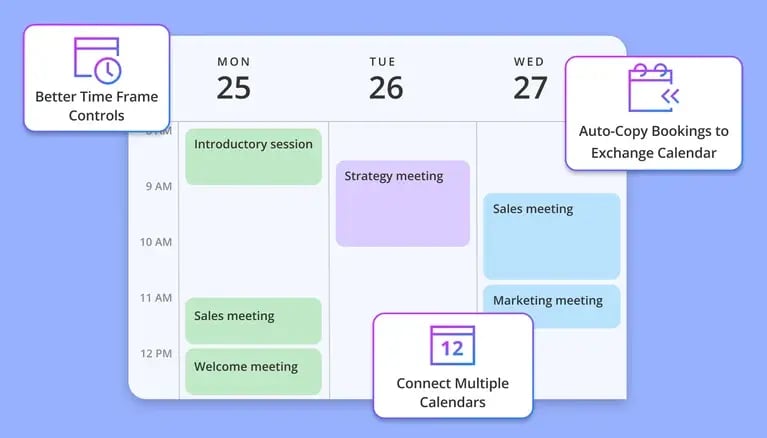
Implementing scheduling software is critical for higher education institutions that run thousands of daily meetings, yet many still rely on outdated administrative processes that frustrate students and exhaust staff. A recent 2025 report from Tyton Partners reveals that nearly 25% of higher education institutions anticipate budget cuts for student services, forcing academic staff to do more with fewer resources. At the same time, research from EAB highlights that fragmented advising systems and repetitive administrative tasks are primary drivers of faculty and advisor burnout.
Transitioning to dedicated scheduling software modernizes the student experience, centralizes campus operations, and protects your staff from administrative fatigue.
This guide breaks down how to evaluate your campus needs and compares the top tools available for higher education in 2026.
TL;DR:
- Definition: University scheduling software automates appointment booking, student intake, queue management, and staff allocation across academic departments and administrative offices.
- Core Benefit: Eliminates manual callback loops, reduces student wait times, prevents double-booking during peak enrollment periods, and provides a centralized digital directory for all campus services.
- Top Recommendations by University Use Case:
- Best Overall (Complex Campus Routing & AI): OnceHub (Best for multi-department routing, admissions automation, and high-volume student advising)
- Best for Individual Office Hours: Calendly (Best for individual faculty office-hour booking links)
- Best for Microsoft 365 Campuses: Microsoft Bookings (Best for internal IT, facilities, and staff-only administrative scheduling)
- Best for Paid Continuing Education: Acuity Scheduling (Best for community workshops and non-degree program fee collection)
- Best for Admissions & Campus Tour Automation: OnceHub (Best for instant lead qualification, automated tour distribution, and AI Phone Agents)
How We Evaluated These Scheduling Platforms
To help higher education leaders select the right software, we evaluated each platform against the operational requirements of modern colleges and universities:
- Departmental Routing & Distribution: Capability to route students based on major, advisor availability, or specific intake responses using intelligent Routing Forms and Meeting Distribution.
- Admissions & Inbound Automation: Ability to immediately engage prospective students and book campus tours via web and phone channels.
- Security & Regulatory Compliance: Compliance with FERPA standards for educational records and HIPAA guidelines for Student Health & Counseling Services.
- Integration Ecosystem: Compatibility with Student Information Systems (SIS), higher-ed CRMs (Salesforce Education Cloud, Slate), and video platforms like Zoom Integration and Microsoft Teams Integration.
- Student Experience & Accessibility: Ease of use across mobile devices through a centralized Booking Hub without requiring app downloads.
What Are the Main Scheduling Challenges for Universities?
The main scheduling challenges for universities include managing high-volume registration peaks, breaking down cross-departmental data silos, integrating with existing student information systems, and coordinating across international time zones. Upgrading to a digital calendar system directly addresses these complex logistical bottlenecks.
- High Volume Registration Peaks: Managing the sudden influx of students needing advisor meetings during enrollment week is a logistical challenge. Your system must handle high traffic and feature automated conflict detection to prevent overlapping sessions or double-booked appointments.
- Cross-Departmental Silos and SIS Integration: Students often struggle to navigate different booking processes for financial aid, housing, and academic advising. Standalone calendar apps create data silos, making it essential to choose a platform that integrates smoothly with your Student Information System to pull student records and enrollment histories automatically.
- Faculty Preference and Office Hour Management: Resolving instructor availability issues in real time is critical. Universities must manage faculty preferences for teaching times and office hours while catching schedule conflicts before they become student headaches.
- Flexible Room and Resource Management: Beyond basic office assignments, campuses must handle specialized spaces like clinical facilities, computer labs, and studios. Your platform should track equipment needs and capacity constraints alongside the actual meeting booking.
- International Time Zones: Coordinating virtual admissions interviews with prospective international students across the globe requires automatic time zone conversions to prevent missed connections.
- Real-Time Updates and Analytics: Schedule changes happen frequently. Universities need robust reporting to analyze room utilization and student enrollment patterns, alongside automated notifications that handle last-minute adjustments without creating cascading errors.
Which Campus Departments Benefit Most from Scheduling Software?
“Research from AACRAO found that fewer than half of colleges and universities currently use dedicated scheduling software, while only 27% of institutions describe their scheduling process as student-centered.” - aacrao
The campus departments that benefit most from scheduling software include academic advising, university admissions, financial aid, and student health centers. Upgrading these specific areas eliminates repetitive administrative coordination and improves the daily student experience.
What are the Key Features of Top Higher Education Scheduling Platforms?
The most essential features in university scheduling software include intelligent meeting distribution, unified booking hubs, digital queues, and strict regulatory compliance. These specific capabilities ensure the platform scales to meet the complex logistical demands of a large academic institution.
- Intelligent Meeting Distribution: High-volume departments cannot rely on manual assignments. Using round robin logic automatically assigns students to the first available counselor based on live availability and specific advising skills. (Also read: How Automated Meeting Distribution Works)
- Unified Booking Hubs: Creating a single master directory prevents students from getting lost across different university websites. Booking hubs allow students to find any campus department in one centralized place and select the exact service they need.
- Virtual Queues: Allowing students to check in digitally for walk-in hours prevents crowding in physical waiting rooms. Students join a digital line from their phones and arrive at the office only when it is their turn to speak with an administrator.
- Strict Security and Compliance: Universities handle sensitive information on a daily basis. Ensuring the platform meets FERPA standards protects educational records, while strict HIPAA compliance is mandatory for any tools used by student health and counseling centers.
What Is the Best Scheduling Software for Universities?
The best scheduling software for universities includes OnceHub for complex campus routing, Calendly for basic office hours, Microsoft Bookings for internal staff coordination, and Acuity Scheduling for paid university workshops.
Comparing these tools by their primary use case ensures your institution selects the exact right platform for your administrative needs.
|
Tool Name |
Primary Campus Use Case |
Security Features |
Starting Price |
|
OnceHub |
Multi-department routing and automated admissions |
Enterprise-grade security, strict privacy compliance |
Starts Free |
|
Calendly |
Basic one-on-one professor office hours |
Standard data encryption |
Starts Free |
|
Microsoft Bookings |
Internal IT and faculty resource management |
Managed within a Microsoft 365 environment |
Included with Microsoft 365 |
|
Acuity Scheduling |
Paid workshops and continuing education classes |
Secure payment processing integration |
$20 per month |
1. OnceHub
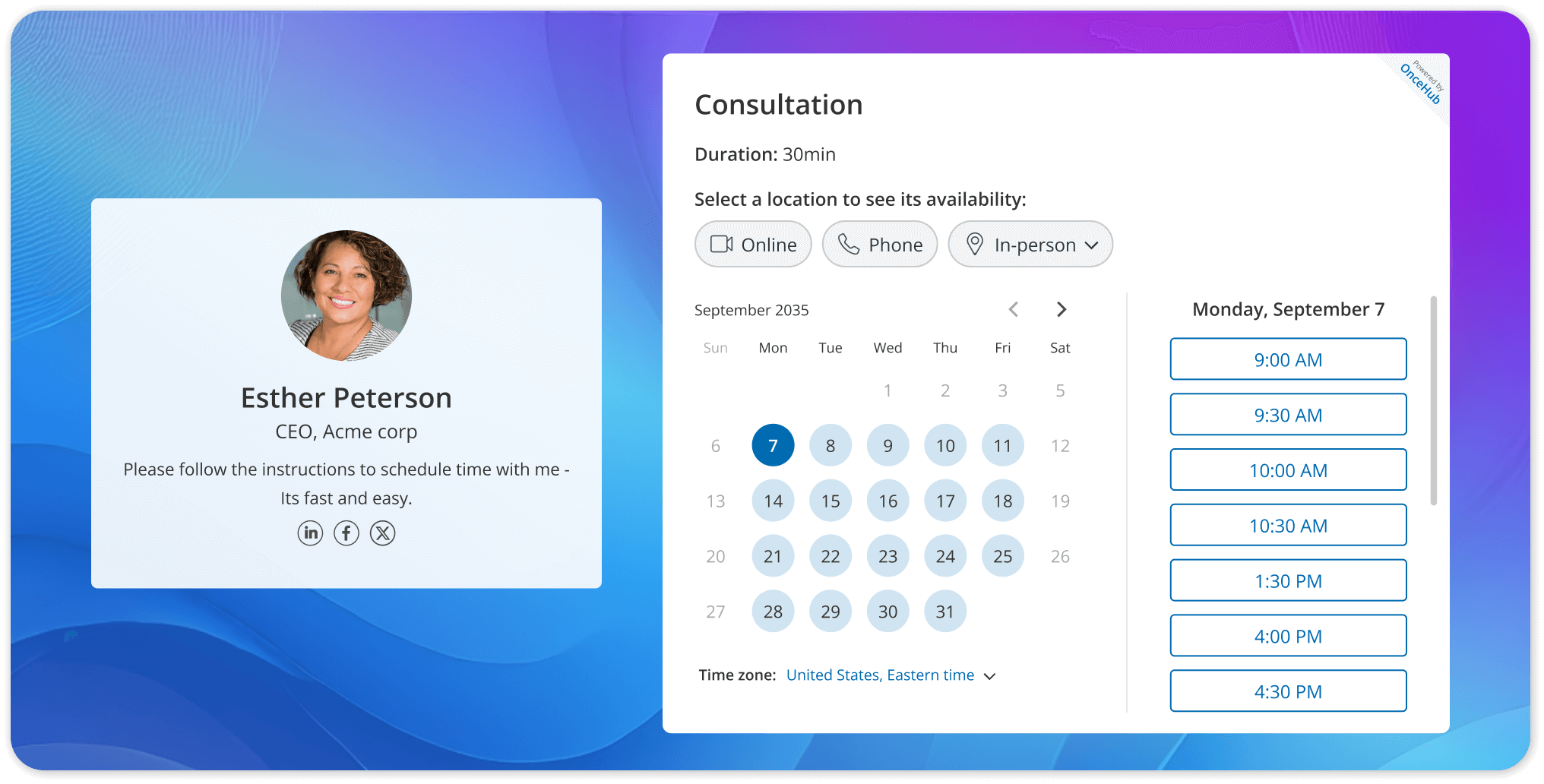
OnceHub is the top choice for universities requiring complex meeting distribution and unified booking directories. It allows large institutions to consolidate multiple departments into one streamlined calendar system while handling high-volume traffic effortlessly.
- Intelligent routing forms: Ask preliminary questions to direct students to the correct academic department automatically.
- Unified booking hubs: Create a master directory where students can view all campus services in one centralized location.
- AI phone agent: Answer inbound calls from prospective students instantly and book campus tours through natural conversation.
- Round robin distribution: Assign incoming advising appointments evenly across available staff members to balance administrative workloads.
- Strict regulatory compliance: Protect sensitive student data with enterprise-grade security that meets federal privacy standards.
- Native system integrations: Connect booking pages directly to existing student information databases and video conferencing tools.
Campus Use Case: An admissions office uses the AI voice agent to handle high-volume inbound calls during peak enrollment, qualifying prospective students, and booking campus tours directly with available guides and calendars.
Starting Price: Starts Free
2. Calendly
Calendly provides a straightforward booking experience tailored for individual users rather than complex campus routing. It is an effective tool for staff members who only need to share a simple digital link to manage their personal availability.
- Basic calendar sync: Read existing availability instantly to prevent double-booked office hours.
- Automated email reminders: Send digital notifications to students to reduce missed advising sessions.
- One-on-one booking links: Provide a straightforward URL for students to secure individual meetings with their professors.
- Group scheduling options: Allow multiple students to register for a single seminar or study group session.
- Daily meeting limits: Cap the total number of student appointments a faculty member can accept per day to prevent burnout.
Campus Use Case: A biology professor shares a personal link in their class syllabus so students can securely book 15-minute office hour slots without relying on back-and-forth emails.
Starting Price: Starts Free
3. Microsoft Bookings
Microsoft Bookings is an entry-level tool included natively within the Microsoft Office suite. It is a logical option for universities already locked into the Microsoft ecosystem that require basic calendar management without paying for external software.
- Native Outlook integration: Keep all schedule data strictly within the existing university email environment.
- Basic staff assignment: Direct internal support tickets to specific IT or facility staff members based on availability.
- Internal directory sync: Allow faculty to find and book resources using the native campus address book.
- Automated status updates: Notify users automatically when a campus resource or room booking is confirmed or changed.
- Self-service portal: Give university employees a simple interface to manage their own internal appointments.
Campus Use Case: A campus IT help desk uses the platform to let faculty schedule laptop repair drop-offs, keeping all calendar data within the university's Microsoft environment.
Starting Price: Included with Microsoft 365 enterprise plans
4. Acuity Scheduling
Acuity Scheduling is built primarily to handle paid appointments and group class management. It is effective for university departments that need to collect upfront payments for specialized certification courses or community workshops.
- Payment gateway integrations: Connect to processors like Stripe to collect tuition or workshop fees securely upfront.
- Group class scheduling: Manage capacity limits for continuing education courses or paid campus events.
- Customizable intake forms: Gather required registration details from attendees before they secure their spot.
- Branded booking pages: Customize the digital interface to match the visual identity of the specific university department.
- Automated receipt generation: Send instant payment confirmations to students after they register for a paid session.
Campus Use Case: The continuing education department uses the software to schedule group capacity and collect registration fees for weekend professional development workshops.
Starting Price: $20 per month
Why Is OnceHub the Ideal Scheduling Software for Higher Education?
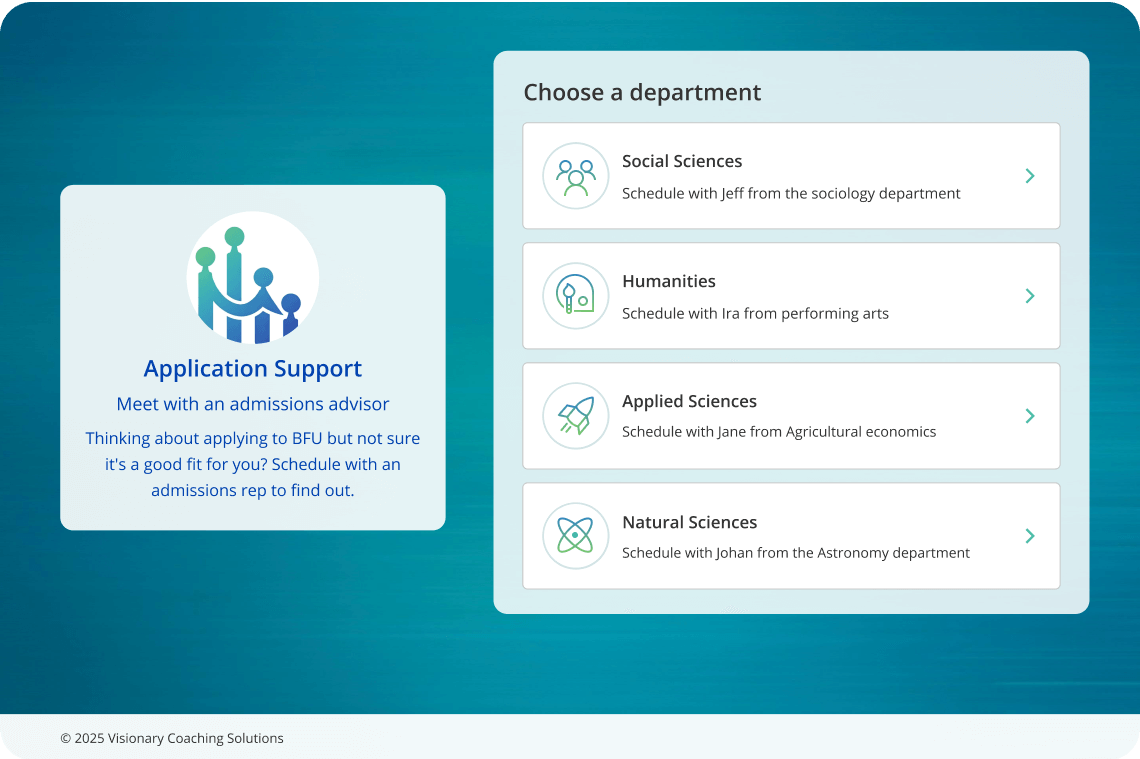
OnceHub is the ideal scheduling software for higher education because it provides a unified infrastructure capable of managing high-volume admissions traffic, complex departmental routing, and secure student data. Instead of forcing academic departments to use fragmented tools, OnceHub centralizes the entire campus booking process.
- AI Voice Scheduling for Admissions: During peak enrollment season, university admissions offices face heavy call volumes. OnceHub addresses this directly with an AI phone agent that answers inbound calls instantly. It holds natural conversations with prospective students, qualifies their interest, and books campus tours directly onto available calendars without requiring staff intervention.
Also read: 6 Best AI Answering Services of 2026: Low-Cost & High-ROI
- Intelligent Routing for Student Services: Different students need different resources. Using smart routing forms, OnceHub asks students preliminary questions about their needs. Based on their answers, the platform automatically directs them to the exact right administrative desk, whether that is financial aid, academic advising, or international student support.
- Unified Campus Booking Hubs: Universities can build a master booking directory. This allows students to access all campus services from a single web page, eliminating the frustration of navigating multiple university websites to find the right appointment link.
How Does Scheduling Software Improve University Operations?
Implementing an automated calendar system provides an operational return on investment by eliminating administrative bottlenecks and improving the daily student experience. According to the Higher Ed Innovation Index 2025, 66% of institutions reported reduced staff burnout after adopting AI and digital automation tools, while 63% reported measurable cost savings from those investments.
How Can You Modernize Your Campus Scheduling Experience?
Transitioning to university scheduling software is the most effective way to modernize your campus operations and improve the daily student experience. By eliminating chaotic manual tracking and adopting a centralized digital directory, you ensure every department runs efficiently while protecting your staff from administrative burnout.
Whether you need to manage a high-volume admissions office, distribute academic advising sessions evenly, or build a unified booking hub for your entire campus, upgrading your technology provides an immediate operational advantage.
Stop losing valuable staff time to repetitive calendar coordination. If you are ready to organize your campus, reduce student wait times, and automate your administrative workflows, you can get started right now.
Frequently Asked Questions
Is university scheduling software secure enough to protect student records?
Yes, university scheduling software is secure enough to protect student records as long as you choose a platform built for regulatory compliance. Leading systems use enterprise-grade encryption to ensure all booking data and personal information strictly meet FERPA standards, as well as HIPAA guidelines for campus student health centers.
What are the key features of top higher education scheduling platforms?
Top higher education scheduling platforms include features like intelligent appointment routing, SIS integrations, digital waitlists, automated reminders, FERPA-compliant security, and centralized booking hubs that improve campus operations and student experiences.
Can scheduling platforms integrate directly with our student information system?
Yes, modern scheduling platforms integrate directly with existing student information systems through native connections and application programming interfaces. This ensures that when a student books an advising session, their academic history and enrollment data automatically sync with the calendar appointment, eliminating manual data entry for your campus staff.
How does automated scheduling prevent double bookings during enrollment week?
Automated scheduling prevents double bookings by reading the live availability of your faculty and staff in real time. When a student selects a time slot, the system instantly blocks that exact period on the connected digital calendar, ensuring no other student can claim the same session during high-volume registration peaks.
Do students need to download a separate application to book campus appointments?
No, students do not need to download a separate application to book campus appointments. The best platforms use mobile-friendly web links that open directly in any internet browser, allowing students to access unified booking hubs and secure their meeting times easily from their personal smart devices.
How do digital waitlists improve walk-in advising hours?
Digital waitlists improve walk-in advising hours by allowing students to join a virtual queue from their mobile phones rather than standing in a physical line. The system provides live updates on their position in the queue, allowing students to wait elsewhere on campus and arrive at the administrative office only when the advisor is actually ready to see them.