

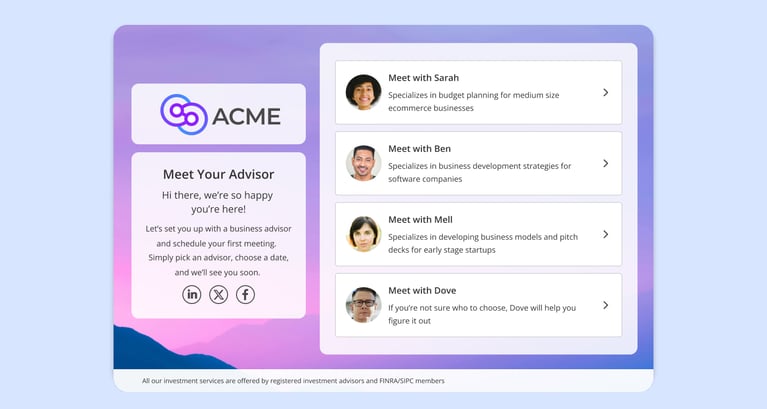
Managing multiple booking calendars requires consolidating fragmented scheduling links into a single, centralized booking page (a Booking Hub) or using logic-based routing forms. This ensures clients are automatically directed to the correct location, service duration, or specialized team member without administrative friction.
This guide is for organizations and individuals who need to manage a variety of offerings, including offerings with different service durations and team roles, as well as multiple physical locations. We will show you how to move past scattered links and implement a unified strategy that gives your guests a clear, guided choice.
You will learn common scenarios that require multiple calendars, and how to choose the right approach for externalizing your options: the Routing Form (for automated, logic-based assignment) or the Centralized Booking Page/Booking Hub (for guest choice and preference). We also compare how advanced solutions, like OnceHub, differ from standard vendor approaches that often rely on fragmented, siloed calendars and lack multi-tiered navigation. By the end, you will know how to organize your booking calendars to save time, reduce back-and-forth, and elevate your guest experience.
When Should a Business Use Multiple Booking Calendars?
A business should use multiple booking calendars when offering services with varying durations, distinct service types, multiple physical locations, or specialized team roles. Using a centralized hub for these scenarios prevents double-booking and ensures clients easily find the exact service they need.
1. Different Durations for the Same Topic
Often, the subject matter is the same, but the time commitment varies. You might want to offer a quick "15-minute Introductory Call" and a deeper "60-minute Strategy Session." In this case, instead of sending two separate links and asking the client to pick one, a centralized booking page presents both duration options. (two calendars or categories as radio buttons)
2. Distinct Service Types
Your team might handle distinct types of interactions that require different preparation or personnel. For example, a "New Client Consultation" versus an "Existing Account Review." These are distinct services that should be presented as clear choices in a menu, allowing the guest to select the right path.
3. Multiple Locations
If you operate out of more than one physical space (e.g., "Downtown Clinic" vs. "Uptown Clinic") or time zone (e.g., "East Coast Team" vs. "West Coast Team"), your guests need a way to filter by location first. A centralized booking page lets them select their preferred location (usually the one closest to their home or workplace) before checking availability.
4. Specialized Team Roles
Sometimes the guest knows exactly who they need to speak with. You might want to present a directory of your "Financial Advisors" or "Customer Success Managers," allowing the client to browse all the calendars or categories and book with the specific person they have an acquaintance with.
Recognizing these scenarios is only the first step. The next challenge is deciding how to present these options to your client: Should the system decide for them, or should they decide for themselves?"
Should You Use Routing Forms or a Centralized Booking Page?
You should use a routing form to automatically guide guests to a specific calendar based on strict qualification rules, such as location or company size. You should use a centralized booking page when you want to empower guests to choose their preferred service, time, or team member.
Approach 1: The Routing Form (Automated Guidance)
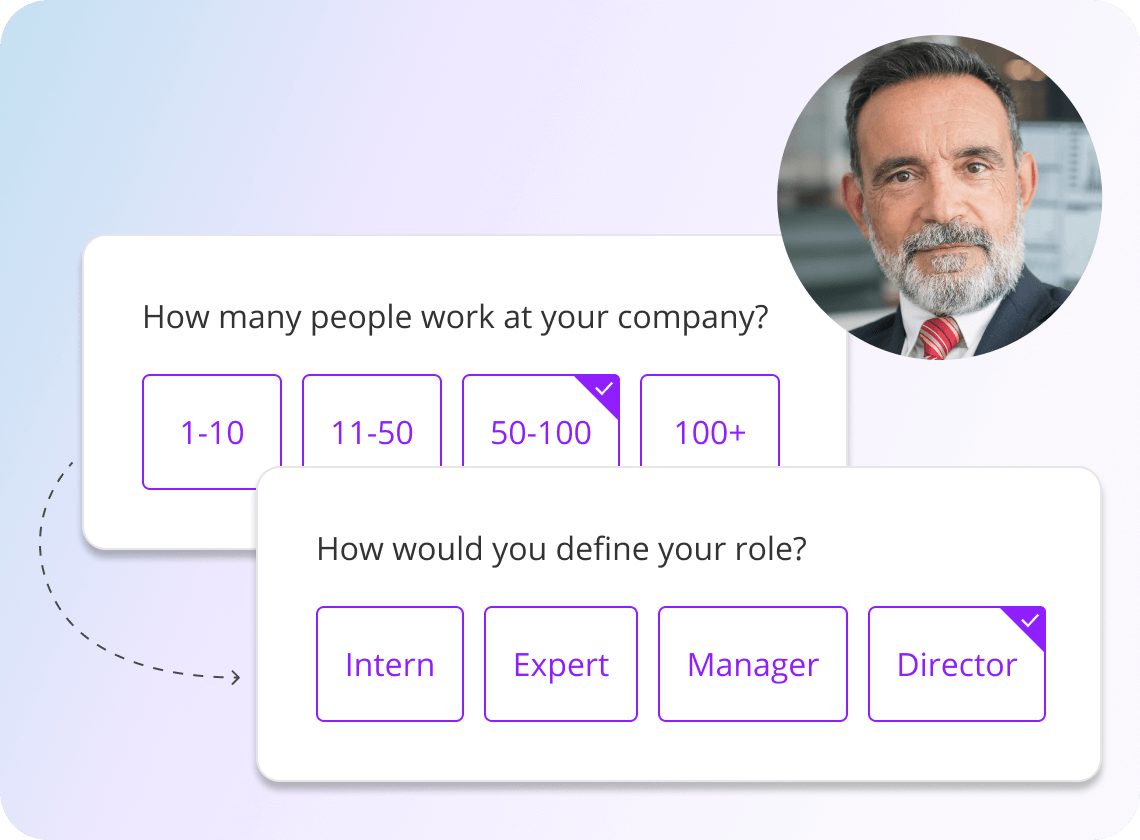
This approach is about logic and efficiency. It is designed for scenarios where the guest shouldn't need to know your internal structure. They just need to reach the right outcome for who they are.
- How it works: The guest answers a few specific questions (e.g., "What is your region?" or "What product do you need help with?"). Behind the scenes, the system uses this data to direct them to the correct calendar.
- When to use it: Use this when accuracy is more important than choice.
- Example: Connecting a client to the local office closest to their zip code.
- Example: Directing a user to the IT Team for a technical glitch rather than the Billing Team for an invoice question.
Approach 2: The Centralized Booking Page (Guest Choice)
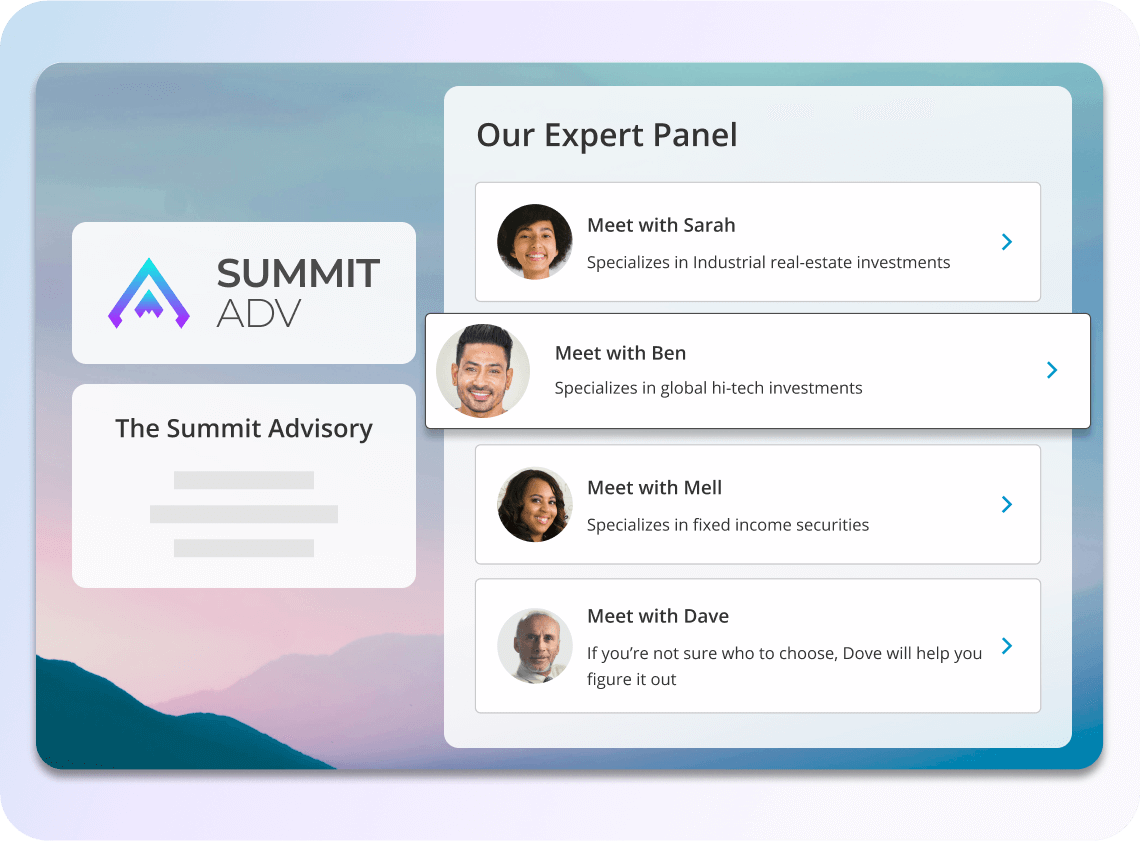
This approach is about transparency and preference. It is designed for scenarios where the guest’s personal preference matters, and you want to present them with a clear menu of services or team members.
- What it is: In the industry, this is often called a centralized scheduling/booking page. At OnceHub, we call this mechanism a Booking Hub.
- How it works: You present a unified, branded page that displays your offerings in an organized hierarchy. The guest selects what they need, clicking through choices like Location, Duration, or Team Member, to find the slot that suits them best.
- When to use it: Use this when preference is more important than rules.
- Example: Letting a client choose between a 15-minute intro or a 60-minute deep dive.
- Example: Presenting a directory of financial advisors so the client can book with the person they already know and trust.
If the destination depends on the guest (e.g., their location or company size), use a Routing Form. If the destination depends on the guest's preferences (e.g., preferred time duration, specific advisor), use a centralized booking page.
Approach 3: OnceHub's AI Phone Agent (Voice Coordination)
.png?width=1540&height=700&name=phone_booking_step_four%20(1).png)
If your clients prefer calling over using a website, you can use OnceHub's AI phone agent to manage multiple calendars. This voice-activated solution acts as a digital receptionist that can handle complex routing.
How it works: The caller speaks naturally with the agent, explaining what they need or where they are located. The AI phone agent identifies the correct location, service, or team member and books the appointment directly onto the right calendar.
When to use it: Use this when you want to provide 24-hour phone access to multiple departments or locations without hiring additional administrative staff.
And, if it's about offering choices, the next challenge is organization. Let’s look at how a centralized booking page structures the options to manage complexity for both your team and your guests.
How a Centralized Booking Page Helps You Organize and Ease Your Guest Experience?
A centralized booking page improves guest experience by eliminating the confusion of scattered scheduling links. It provides a single, branded URL with clear multi-tiered navigation, allowing guests to effortlessly select their preferred location and service while automatically balancing your team's workload.
Simplifying Administration and Team Management
For your internal team, the goal is to stop wasting time on manual setup and workload management.
- Reducing Overhead with Reusability: Instead of managing dozens of separate booking pages, you define a team once and reuse it everywhere. If a process changes, you update the configuration in one place, and it reflects elsewhere instantly.
- Preventing Unbalanced Workloads: You don't want one person receiving all the appointments just because they are popular. The Booking Hub uses logic like round robin to automatically distribute bookings fairly based on capacity, ensuring opportunities aren't missed, and staff aren't overworked.
Guiding the Guest Journey
For the guest, the goal is to remove friction. They shouldn't have to work hard to find a time to book with you.
- Eliminating Friction with a Single Destination: By consolidating all services, locations, and durations into a single URL, you eliminate confusion. The guest doesn't have to hunt through emails for the right booking page, as all the pages are available upfront on the menu.
- Simplifying Navigation: Guests get a clear path (e.g., Location, Service, and Time). This logic mimics a human receptionist, ensuring they find exactly what they need without confusion.
Strategic Control and Data
Finally, centralizing your scheduling moves you from a chaotic process to a controlled business operation.
- Ensuring Brand Consistency: Every customer interaction happens in a branded environment. You eliminate the risk of employees sending unprofessional, unbranded personal URLs.
- Centralizing Data for Better Reporting: When all appointments flow through one Hub, you get a single source of truth. You can finally see aggregated metrics, such as conversion rates per service and busy times per region, providing the data needed for accurate reporting and better decision-making going forward.
Quick Comparison: Centralized Scheduling Solutions
We’re comparing OnceHub’s Booking Hub, Calendly’s Team Scheduling, Google Workspace, and Microsoft Bookings across three parameters. The table below will help you choose the right scheduling software if you manage multiple booking calendars.
Where Standard Platforms Struggle to Scale?
Competitors like Calendly and Google are built on siloed architectures that tie events to specific pages or individuals. This forces you to manually duplicate assets rather than defining them once for reuse across your organization. Furthermore, they present offerings as flat, and without multi-tiered navigation, guests are forced to scroll through every single option without a logical flow, such as location or service type.
Beyond navigation, basic tools lack the intelligence to dynamically filter large teams. They cannot narrow down host pools by attributes such as language or expertise before assignment, resulting in fewer relevant matches. Finally, without true centralization, your data remains fragmented. Reporting is scattered across individual calendars rather than aggregated into a single source of truth, making it impossible to gain strategic visibility into your operations.
Elevate Your Guest Experience: Clarity, Choice, and Control
Managing multiple calendars effectively isn't just an operational win; it is a customer experience strategy. By consolidating your offerings into a Booking Hub, you transform a fragmented, confusing process into a seamless, professional journey.
Instead of overwhelming clients with scattered links or rigid rules, a Hub empowers them. It gives your guests the clarity to navigate your services and the control to choose the time, location, and team member that suits them best. When you replace scheduling confusion with a clear, guided path, you don't just save time, you build a harmonious rapport before the meeting even begins.
Conclusion
Managing a wide range of services and teams doesn't have to be chaotic. By consolidating your offerings into a single centralized booking page, you replace scattered links with a structured, professional experience. This approach removes friction for your guests while ensuring your internal operations run smoothly, eliminating the risk of administrative burnout.
Stop reacting to scheduling confusion and start executing appointments with intent. Implementing this structure gives you strategic control over your data, transforming a simple administrative task into a competitive advantage that scales alongside your business growth.
Scattered calendars, like scattered ideas, are a nemesis to execution. That’s why you should write down your ideas in your diary. And, if you don’t have one for your booking calendars, here is Booking Hub. It doesn’t just organize but helps you and your guest execute the most desirable action.
Unify your booking calendars today! Sign up and use Booking Hubs to boost your team's productivity and your guests' experience.
Frequently Asked Questions
How do you sync multiple calendars into one booking link?
You can sync multiple calendars by using a centralized Booking Hub. This allows you to combine various service types, locations, and team members into a single, navigable URL without duplicating your calendar assets.
Can I route guests to different calendars based on their location?
Yes. By using a pre-meeting routing form, you can ask a guest for their zip code or region upfront, and the system will automatically direct them to the correct local calendar based on conditional logic.
What is the difference between a Booking Hub and a Routing Form?
A Routing Form decides for the guest automatically based on their answers to qualification questions. A Booking Hub presents a menu of options, allowing the guest to choose their preferred time, location, or team member.