

HIPAA-compliant scheduling software is appointment booking software that can legally handle protected health information because the vendor signs a Business Associate Agreement and the platform encrypts data at rest and in transit, restricts access by role, logs every action, and times out inactive sessions. The best options in 2026 are OnceHub for patient intake and provider routing, SimplePractice for solo therapists, Ensora Mental Health for behavioural health, TheraPlatform for telehealth-first practices, and Relatient for multi-location networks. Pricing runs from free to $118 a month, though the compliance layer is usually gated behind a higher plan.
One thing that catches practices out: no software is HIPAA-compliant on its own. There is no certification body and no badge. Compliance is a property of the contract you sign and how you configure the tool, which is why a platform can hold SOC 2 and strong encryption and still be illegal to use for patient data. Calendly is the clearest example, and there is a section on that below.
At a glance
|
Tool |
Best for |
Starting price |
Key HIPAA strength |
|
OnceHub |
Patient intake and routing across providers |
Free tier; paid from $10/seat |
BAA via paid compliance add-on, role-based access, encrypted intake at booking |
|
SimplePractice |
Solo therapists and small clinics |
$49/month |
BAA included, integrated telehealth and charting |
|
Ensora Mental Health |
Behavioral and mental health practices |
$29/month per therapist |
BAA included, HIPAA-secure telehealth |
|
TheraPlatform |
Telehealth-first therapy practices |
From $39/month |
Built-in encrypted video, no third-party tool needed |
|
Acuity Scheduling |
Simple booking with payments |
$49/month for the HIPAA tier |
BAA on top tier only |
|
DrChrono |
Small practices wanting mobile EHR |
Custom quote |
BAA included, iOS-native with audit trails |
|
RXNT |
Practices needing ePrescribing |
$118/month |
End-to-end encrypted EHR, EPCS-certified |
|
Zocdoc |
Attracting new patients |
Custom quote |
Encrypted booking, though marketplace data sits outside HIPAA |
|
Relatient |
Multi-location clinics and hospital networks |
Custom quote |
Centralised scheduling with Epic and Cerner integration |
|
Cal.com |
Practices wanting open-source control |
Free self-hosted; paid from $15/seat |
BAA available; self-hosting keeps data in your infrastructure |
Pricing verified August 2026. Confirm current rates and BAA availability with each vendor before committing.
The thing most lists skip: software alone cannot be HIPAA compliant
This is worth stating before any product comparison, because it changes how you evaluate everything below.
HIPAA applies to covered entities and to the business associates they contract with. It does not certify software. There is no government body that inspects a scheduling app and issues a compliance badge, which means any vendor claiming to be "HIPAA certified" is describing something that does not exist.
What exists is a contract. A Business Associate Agreement is the line that decides whether you can legally put patient data into a tool. Without a signed BAA, no amount of encryption makes a platform usable for PHI. With one, you are still responsible for configuring it correctly and training your staff.
Two practical consequences.
- The BAA is usually gated behind a higher plan: SimplePractice and Cal.com will sign one. Acuity signs one only on its top tier. OnceHub offers it through a paid compliance add-on. Setmore, TimeTap, and Jotform sign on specific plans. The entry price you see advertised is frequently not the price of the compliant version.
- Calendly does not sign a BAA on any plan: Not Free, not Standard, not Teams, not Enterprise. Its terms explicitly prohibit using the platform to collect, store, or transmit protected health information. Calendly has strong general security, including SOC 2 and encryption, but security is not the test. This matters because Calendly is the default scheduling tool in a great many practices that have never checked. If you are using it with visit-reason fields, intake questions, or a Google Calendar sync without a Workspace BAA, you have PHI in an uncovered system.
What makes scheduling software HIPAA compliant
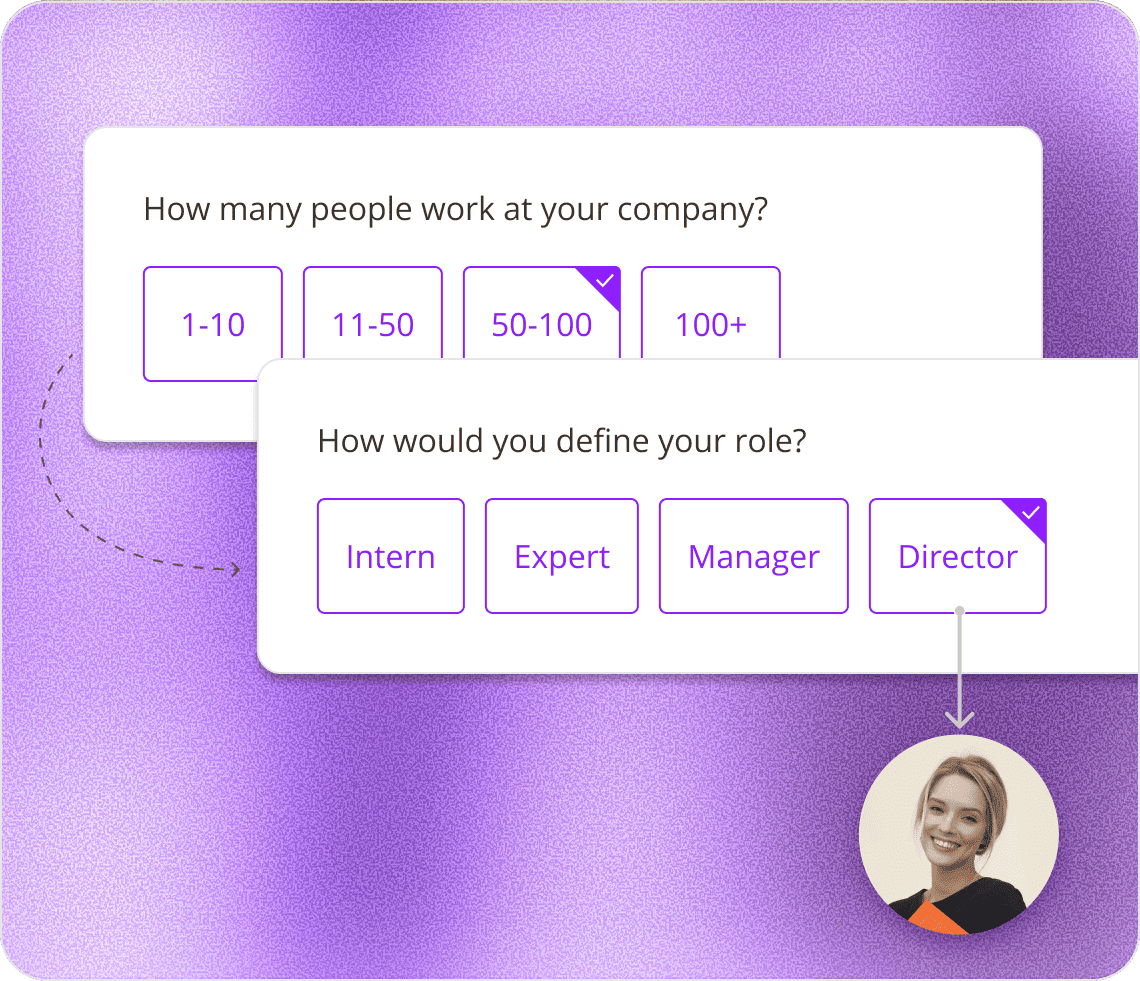
Five things, and the last one is the only one that is non-negotiable as a contract rather than a feature.
The 10 best HIPAA-compliant scheduling tools
Ordered by the type of practice each suits rather than by ranking, since a solo therapist and a hospital network need genuinely different things.
1. OnceHub: best for patient intake and provider routing
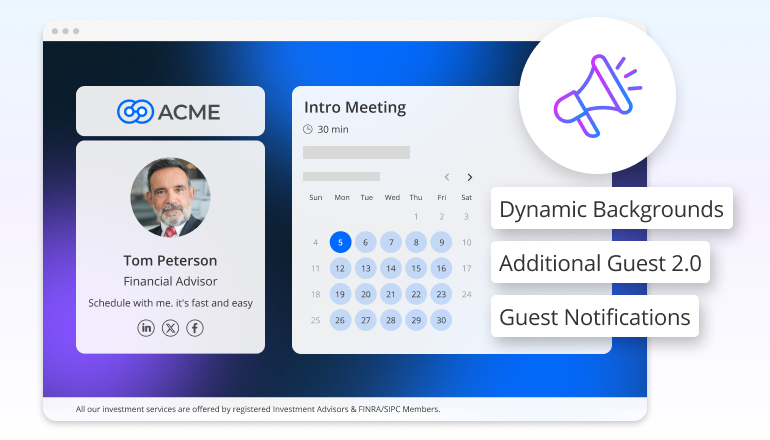
OnceHub is a scheduling platform with intake, routing, and an AI phone receptionist built around a native booking engine.
Who it's for: Practices where patients need directing to the right provider, and where intake information should be captured during booking rather than chased afterward.
Key features
- Routing forms that screen patients with branching questions before offering a slot, so a patient never books with the wrong specialist
- Booking hubs presenting multiple provider calendars under one link
- Encrypted intake forms collected during the booking flow, replacing separate paper forms
- Room and resource scheduling, so in-person slots only appear when a suitable room is free
- Four-level role-based access control
- AI phone receptionist that answers calls, screens, and books during the call
Pros: Intake and routing are stronger than most dedicated schedulers, and the free tier lets you test the workflow before paying. Because availability checking and booking happen in the same engine rather than through a calendar API, there is no window where two patients can be offered the same slot. which we covered in our guide to double booking.
Cons: It is not an EHR. There is no charting, no clinical documentation, and no insurance billing, so a practice needing those will run OnceHub alongside a records system rather than instead of one. HIPAA coverage also requires the paid add-on rather than being included by default.
Pricing: Free Basic tier for one user. Paid plans from $10 to $12 per seat monthly, with routing on the $19 to $23 tier. HIPAA BAA and SSO come through the Security and Compliance add-on at $5 to $6 per seat monthly, included by default on Enterprise.
Bottom line: The right fit when getting the patient to the correct provider with the correct information is the problem you are solving, and you already have a system of record.
2. SimplePractice: best for solo therapists and small clinics
An all-in-one practice management and EHR platform covering scheduling, notes, billing and telehealth.
Who it's for: Solo and small mental health practices that want one tool rather than four.
Pros: Genuinely comprehensive. Client portal, self-scheduling, intake and consent forms, integrated telehealth, insurance claims, and superbills all in one place. Widely used, so support material and community knowledge are plentiful.
Cons: Two things catch buyers out. The $49 Starter plan does not include external calendar sync, so appointments will not appear in your personal calendar without upgrading to Essential at $79. And the pricing has stairs behind it: the AI Note Taker is an extra $35 per clinician monthly, and ePrescribe adds $49 monthly plus an $89 setup fee. Customisation is also limited compared with configurable platforms.
Pricing: $49 Starter, $79 Essential, $99 Plus, per clinician monthly. Prices rose during 2026, so older comparisons quoting $29 are out of date.
Bottom line: Strong choice for a solo therapist who wants everything in one system and can live with rigid workflows. Budget for Essential rather than Starter.
3. Ensora Mental Health: best for behavioural health practices
Formerly TheraNest, Ensora is a HIPAA-compliant EHR and practice management platform for mental and behavioural health.
Who it's for: Therapists, counsellors, psychologists, and social workers, in practices of any size.
Pros: The lowest entry price among the clinical platforms here, at $29 per therapist monthly. Combines telehealth, billing, documentation, and scheduling, with a patient portal for self-booking. Scales from solo practitioners to multi-location groups.
Cons: Telehealth is a paid add-on at $12 per therapist monthly on the lower plans, included only on Premier at $89. Insurance billing setup takes longer than competitors. More significantly, reviewers have reported support responsiveness and product stability problems following the 2025 rebrand, which is worth investigating during a trial rather than after.
Pricing: From $29 per therapist monthly. Premier at $89 includes telehealth.
Bottom line: The best entry price in behavioural health, with the caveat that you should test support responsiveness before committing.
4. TheraPlatform: best for telehealth-first practices
A telehealth and practice management platform combining scheduling, documentation, billing, and video therapy.
Who it's for: Mental health, speech, occupational and physical therapy practices delivering most care remotely.
Pros: Built-in encrypted video with screen sharing, whiteboard, and group sessions, so you are not integrating a separate HIPAA-compliant video tool and managing a second BAA. Documentation templates, progress notes, and treatment tracking are included. Affordable for small practices.
Cons: The breadth requires onboarding time, particularly for practices new to telehealth. Smaller integration library than the larger EHR platforms.
Pricing: From roughly $39 monthly, with lower-cost core plans reported around $19.50.
Bottom line: The strongest option when video is your primary delivery method and you want one BAA rather than two.
5. Acuity Scheduling: best for simple booking with payments
A general-purpose scheduling platform with deep payment and package handling, offering HIPAA compliance on its top tier.
Who it's for: Cash-pay practices, wellness businesses and clinics that need booking plus payment collection without clinical documentation.
Pros: Commerce depth no clinical platform matches. Three payment processors, deposits, packages, memberships, gift certificates, and coupons. Customisable intake forms and booking rules. Native scheduling block for Squarespace sites.
Cons: The BAA is only available on the top tier, so the compliant version costs $49 monthly on annual billing rather than the $16 entry price. No native telehealth, so you will need a separate HIPAA-compliant video tool and a second BAA. Intake forms are also collected after the appointment slot is selected, which means the answers cannot influence which provider or appointment type the patient gets.
Pricing: HIPAA-eligible Premium plan at $49 monthly annual, $61 month-to-month.
Bottom line: Good for wellness and cash-pay practices where payment handling matters more than clinical records. Confirm you are on the tier that includes the BAA.
6. DrChrono: best for small practices wanting mobile EHR
An iOS-native EHR combining scheduling, clinical documentation, billing and telehealth, now part of EverHealth.
Who it's for: Small physician practices with one to five providers, across family medicine, orthopaedics, paediatrics, dermatology and urgent care.
Pros: Genuinely good mobile experience via native iPad and iPhone apps, which is unusual in this category. Lab and imaging integrations for electronic ordering and result retrieval. Customisable templates by specialty.
Cons: No published pricing at all, so budgeting requires a sales conversation. The tier structure recently changed to Foundation, Growth, and Premium, replacing the older Essentials, Advanced, and Elite plans that many reviews still describe. Published add-on fees include $0.05 per text, $0.10 per phone reminder, and $30 per provider monthly for extended lab integration. Users on review sites report annual increases of 10 to 15%.
Pricing: Custom quote per provider.
Bottom line: Worth shortlisting if mobile access matters and you are comfortable negotiating. Ask specifically about the renewal escalator.
7. RXNT: best for practices needing ePrescribing
A modular suite integrating scheduling, EHR, billing, and practice management.
Who it's for: Clinics that prescribe and need EPCS-certified ePrescribing alongside scheduling and billing.
Pros: Published pricing, which is rare here. Onboarding, training, upgrades, and support included in every subscription rather than sold separately. EPCS-certified ePrescribing for controlled substances with SureScripts pharmacy interoperability. Automated charge capture, claims scrubbing, and eligibility checks.
Cons: Templates and workflows are only moderately customisable and may not fit every specialty. Annual contract required.
Pricing: From $118 monthly, billed monthly under an annual contract.
Bottom line: The clearest choice when prescribing is central to your practice, and the transparent pricing is a genuine advantage in this market.
8. Zocdoc: best for attracting new patients
A patient discovery marketplace with booking built in.
Who it's for: Practices with capacity to fill who want scheduling and patient acquisition in one place.
Pros: Millions of patients search the platform monthly, so it functions as a marketing channel rather than only a booking tool. Insurance filtering matches patients to in-network providers, which reduces claim denials and scheduling mismatches. Automated confirmations and reminders.
Cons: One compliance nuance matters here. Because Zocdoc operates as a discovery platform as well as a scheduling tool, not all data it collects falls under HIPAA coverage. Understand exactly which data is covered before you rely on it. Booking forms and communication templates are also more rigid than configurable platforms.
Pricing: Custom quote.
Bottom line: Choose it for patient acquisition rather than as your compliance backbone, and clarify the coverage boundary in writing.
9. Relatient: best for multi-location networks
An enterprise scheduling platform built for complex appointment workflows across many facilities.
Who it's for: Medical groups, hospitals, and multi-location clinics.
Pros: Centralised visibility across every location on one dashboard. AI-assisted appointment matching, connecting patients to suitable providers based on need and availability. Referral coordination between primary care and specialists. Integrates with Epic, Cerner and NextGen.
Cons: Requires several onboarding and training sessions before adoption. No published pricing. Substantially more platform than a small practice needs.
Pricing: Custom quote.
Bottom line: The right answer at network scale, and overkill below it.
10. Cal.com: best for practices wanting open-source control
An open-source scheduling platform that will sign a BAA and can be self-hosted.
Who it's for: Technically capable practices, and organisations with data residency requirements that rule out hosted-only vendors.
Pros: Self-hosting means patient data stays in infrastructure you control, which simplifies some compliance conversations considerably. Will sign a BAA. Free if self-hosted, with no per-seat cost.
Cons: Self-hosting means you own the server, the updates, the uptime, and the security patching. There is no clinical documentation, no billing, and no EHR. Non-technical practices should not choose this.
Pricing: Free self-hosted. Cloud plans start at around $15 per seat monthly.
Bottom line: A strong option for practices with technical capacity and strong data residency preferences, and the wrong option for everyone else.
How we evaluated these tools
Compliance claims in this category are easy to make and harder to verify, so the criteria were deliberately narrow.
- BAA availability, and on which plan: The single most important check. We confirmed not only whether each vendor signs a BAA but which tier it requires, because several gate it behind their top plan. Where a vendor does not sign one, we said so rather than omitting them.
- Documented security controls: Encryption at rest and in transit, role-based access, audit logging, and session timeout behaviour, taken from vendor documentation rather than marketing pages.
- Published pricing: We noted where pricing is public and where it requires a sales conversation, because opacity is itself a factor when you are budgeting.
- Practice fit: A behavioural health practice, a multi-site hospital network and a wellness studio have different requirements. Each entry states who it is for and, more usefully, who it is not for.
- What we could not verify: Where sources conflicted, particularly on pricing that changed during 2026, we said so in the entry rather than picking a single figure. Confirm current rates with each vendor.
Which one should you choose?
The decision usually comes down to three questions: do you need clinical records, do you need video, and how many providers are you routing between.
|
Your situation |
Best fit |
|
Routing patients to the right provider, records held elsewhere |
OnceHub |
|
Solo therapist wanting one tool for everything |
SimplePractice |
|
Behavioural health on a tight budget |
Ensora Mental Health |
|
Delivering most care by video |
TheraPlatform |
|
Cash-pay wellness practice needing payments |
Acuity Scheduling (Premium tier) |
|
Small practice needing mobile EHR access |
DrChrono |
|
Prescribing controlled substances |
RXNT |
|
Filling capacity with new patients |
Zocdoc |
|
Multi-location or hospital network |
Relatient |
|
Technical team with data residency requirements |
Cal.com |
When you do not need HIPAA-compliant scheduling at all: if you run a fitness studio, a coaching practice, a salon, or any business that does not create, receive, or transmit protected health information, HIPAA does not apply to you, and you are paying for a compliance layer you cannot use. The test is whether you handle PHI, not whether your work is health-adjacent.
What non-compliance actually costs
HIPAA penalties are structured in four tiers based on culpability, from a violation you could not reasonably have known about through to wilful neglect left uncorrected. Each tier carries a per-violation minimum and maximum, plus an annual cap.
The specific dollar figures are adjusted for inflation every year by the Department of Health and Human Services, which means any figure quoted in an article more than twelve months old is wrong. For current amounts, check the HHS enforcement page directly rather than relying on a secondary source.
Two things are worth knowing beyond the fines. Serious violations can carry criminal charges. And if patient data is breached, you are required to notify affected individuals and HHS within 60 days of discovery, and breaches affecting 500 or more people also require media notification.
Start with the BAA, not the feature list
If there is one thing to take from this, it is that the shortlist is decided by a contract rather than a comparison table. Confirm the vendor will sign a Business Associate Agreement on the plan you actually intend to buy, and half the options in this category disqualify themselves before you look at a single feature.
After that, the useful question is narrower than "which is most compliant," because they all clear the same legal bar once the BAA is signed. It is which one fits the shape of your practice. If you need clinical records, buy an EHR. If you need video, buy a platform with video built in so you are managing one BAA rather than two. If your actual problem is getting patients to the right provider with the right information already captured, you need intake and routing rather than charting.
That last case is what OnceHub's routing forms and booking hubs are built for, with encrypted intake collected during booking and a HIPAA BAA available through the Security and Compliance add-on. There is a free tier to test the workflow on real bookings before any compliance paperwork, and you can add the add-on when you are ready to handle PHI.
Frequently asked questions
What is HIPAA-compliant scheduling software?
Scheduling software that can legally handle protected health information, meaning the vendor signs a Business Associate Agreement and the platform provides encryption at rest and in transit, role-based access control, audit logging, and session timeouts. No software is compliant on its own; compliance is a property of how you contract for and configure it.
What makes scheduling software HIPAA compliant?
A signed BAA is the requirement that determines it. Supporting controls include encryption at rest and in transit, user authentication, role-based access, audit trails, and automatic session timeouts. Encryption alone is not sufficient. A platform can be highly secure and still be unusable for PHI if the vendor will not sign a BAA.
Can I use Google Calendar for HIPAA scheduling?
Not the free consumer version, which offers no BAA and lacks the necessary administrative controls. Google Workspace can be configured for HIPAA use, but only after you obtain a signed BAA from Google and apply the required technical and administrative safeguards. Consult your compliance officer before putting PHI into either.
Is Calendly HIPAA compliant?
No, on any plan. Calendly does not sign a Business Associate Agreement, and its terms prohibit using the platform to collect, store, or transmit protected health information. This applies to Free, Standard, Teams, and Enterprise. Calendly holds SOC 2 and encrypts data, but without a BAA, those controls do not make it usable for patient information.
Do I need a BAA for my scheduling software?
Yes, if the software touches any protected health information, which includes a patient's name attached to an appointment date. The BAA is a legal requirement under HIPAA, not a formality. Get it signed before any patient data enters the system, and confirm it covers the plan you are actually on.
Can I collect patient intake forms through scheduling software?
Yes, with a compliant platform and a signed BAA. Collecting medical history during booking removes the separate paper form step and keeps the data encrypted from the point of entry. Worth checking whether intake questions are asked before or after the appointment slot is chosen, since only the former can influence which provider the patient sees.
Does HIPAA apply to mental health and wellness businesses?
It applies to any covered entity or business associate that handles PHI, which includes mental health providers and clinical practices. Wellness businesses are less clear-cut and depend on what data you handle and whether you bill insurance. A yoga studio taking names and emails is generally not covered; a wellness practice collecting health histories and billing insurance generally is. Ask your compliance officer rather than assuming.
Do video conferencing tools need to be HIPAA compliant too?
Yes. If patient health information is discussed during a video consultation, the video platform is handling PHI and needs its own BAA. This is why platforms with built-in telehealth, such as SimplePractice and TheraPlatform, simplify compliance: one vendor, one BAA, rather than two of each.
**Pricing and compliance information verified August 2026 from vendor pricing pages, product documentation and published comparisons. HIPAA penalty amounts are adjusted annually and should be checked at hhs.gov. This article is not legal advice; consult a compliance professional for your specific situation. OnceHub published this comparison and appears in it as one of the ten tools.