

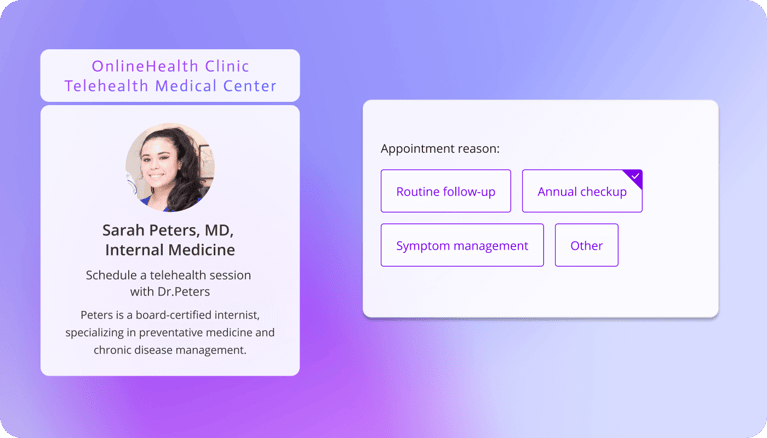
The best patient scheduling software for a small clinic depends on your patient journey and your HIPAA requirements. For lightweight booking with strong privacy controls, OnceHub offers flexible scheduling with a Business Associate Agreement (BAA) available on any paid plan through its Security and Compliance add-on.
For clinics managing unpredictable walk-ins alongside booked visits, WaitWell combines appointments and a virtual queue in one system. For practices that want an all-in-one electronic health record (EHR) and billing suite, Tebra and Carepatron are strong choices, with SimplePractice leading for therapy practices. Whichever platform you choose, make sure the vendor will sign a BAA before any Protected Health Information (PHI) enters the system.
Introduction: The Small Clinic Scheduling Trap
Ask the front desk of a small physical therapy or chiropractic clinic what the hardest part of the day is, and the answer is rarely the patients. It is the phone. Calls to book, calls to reschedule, calls to confirm, and calls back to the patient who left a voicemail while the receptionist was checking someone in.
Then there is the empty slot. A patient forgets, a 9:00 a.m. session sits unused, and the clinician who could have seen someone else spends the hour catching up on notes instead.
Most small clinics try to fix this by buying software, and most end up with one of two problems.
The tool is too basic: A general-purpose scheduler is quick to set up and cheap, but it was never designed for health data. Some popular ones do not offer a BAA at all, which means they should not be used to store patient information.
The tool is too heavy: A hospital-grade EHR handles everything, but it asks a three-person front office to learn a clinical system simply to let a patient pick a Tuesday afternoon.
This guide takes a different approach. Instead of listing every product on the market, it sorts the options by how your patients actually move through your clinic, then covers the compliance details that vendors tend to leave in the fine print.
What "HIPAA Compliant" Really Means for Clinic Software
Before comparing a single product, it helps to understand what "HIPAA compliant" does and does not mean on a software website. Getting this wrong is a common and costly mistake, and it often surfaces long after the purchase.
Buying Software Doesn't Make You Compliant
No piece of software is HIPAA compliant on its own. HIPAA applies to covered entities, such as your clinic, and to the business associates that handle PHI on your behalf. Compliance depends on how a tool is configured and used.
OnceHub says this plainly in its own HIPAA guidance: compliance depends on deployment, configuration, and use, which are processes the software developer has little control over. A platform can offer every security feature in the market and still be used in a way that exposes patient data, for example with weak passwords, shared logins, or sessions that never time out.
So when a vendor says "HIPAA compliant," read it as "we provide features that can help you comply, if you use them properly."
The BAA Requirement
The document that actually matters is the Business Associate Agreement. It is a contract in which the vendor commits to safeguarding the PHI it handles for you, reporting breaches, and passing the same obligations on to any subcontractors that touch the data.
If a vendor will not sign a BAA, you should not put PHI into its system, regardless of how secure it is.
Two practical points catch clinics out:
The BAA is often tied to a specific plan. Some vendors include it on every paid plan, some put it on their most expensive tier, and some charge for it as an add-on. The plan you trialed may not be the plan that includes it.
Some popular schedulers do not offer one at all. In those cases, upgrading does not help, because there is no plan that comes with a BAA.
The SMS Warning
Text message reminders are one of the most effective ways to reduce no-shows, which is why almost every clinic wants them. They are also where many clinics are most confused about the rules.
HIPAA does not ban texting patients. The U.S. Department of Health and Human Services states that the Privacy Rule allows covered health care providers to communicate electronically with patients, provided they apply reasonable safeguards, one of which is limiting the amount or type of information sent over an unencrypted channel.
The practical rule for appointment reminders is simple: keep them to logistics.
- Logistics only: "Reminder: you have an appointment at Riverside Clinic on Thursday at 2:30 p.m. Reply C to confirm."
- Includes health details: "Reminder: your lower back pain follow-up with Dr. Patel is Thursday at 2:30 p.m."
The second message ties a named patient to a specific condition, and standard SMS is not a secure channel. It is also worth checking what your vendor's BAA covers. OnceHub's BAA, for example, does not cover SMS messages, and its help center states that SMS should only be used for booking notifications that contain no patient information.
Integration Blind Spots
Most clinics connect their scheduler to a calendar, usually Google Calendar or Microsoft Outlook, so appointments appear alongside everything else.
The moment booking data leaves your scheduler and lands in another system, it is outside that vendor's control and outside its BAA. If you sync appointments with patient details into Google Calendar, that data now lives with Google, and you need a separate BAA with Google Workspace or Microsoft 365 that covers it.
OnceHub flags this directly in its BAA guidance: its agreement covers patient data stored on its own servers, and if you have a calendar integration with Google, you should make sure your BAA with Google covers the data transferred from OnceHub.
The same applies to any CRM, form tool, or automation platform you connect.
Category 1: Secure & Lightweight Booking (The "Appointment-Only" Clinic)
This category suits clinics that already have an EHR they are happy with but need a secure, automated way for patients to book. Think of a two-provider chiropractic office, a solo physical therapist, or a small massage therapy practice.
OnceHub (Best for Flexible, Secure Scheduling)
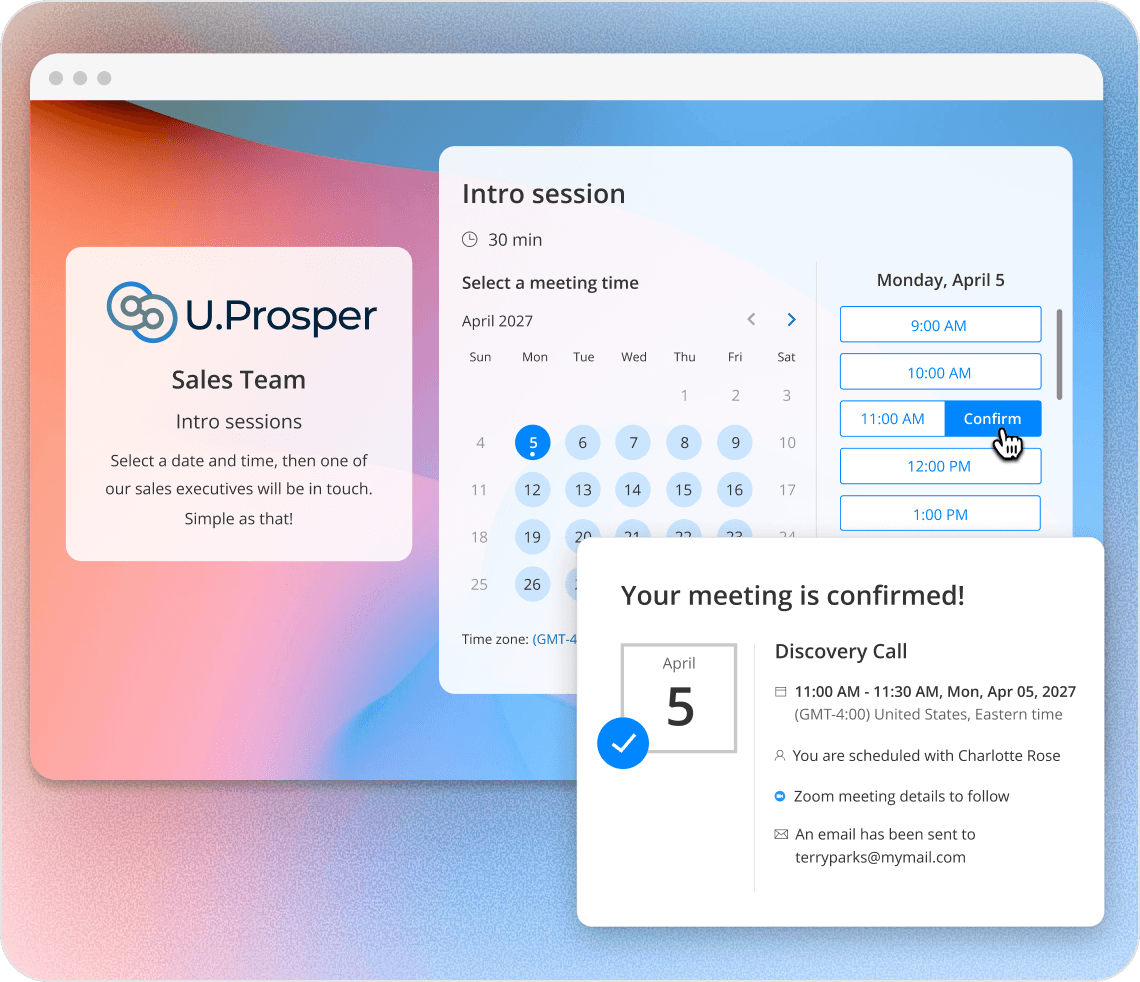
OnceHub is a scheduling platform that suits small practices that want patients to book themselves without giving up control over availability, intake questions, or privacy settings. It handles the booking, the reminders, and the routing of patients to the right practitioner, and leaves charting and billing to your EHR.
How the BAA works. OnceHub offers its BAA through the Security and Compliance add-on, which is available on every paid plan rather than only the most expensive one. On the pricing page, the add-on costs $5 per seat per month billed annually or $6 billed monthly, and it is included by default on the Enterprise plan. To arrange a signed BAA, you email OnceHub support.
The important nuance. OnceHub's BAA excludes three specific things, and knowing them in advance helps you set up the account correctly:
- SMS messages containing PHI, so reminders should stay logistical
- Support tickets containing PHI, since the support portal is hosted by a third party, so never paste patient details into a help request
- OnceHub's AI features, so keep patient information out of AI-powered workflows
The BAA also requires account holders to use the service in a HIPAA-compliant manner and to enable the security features needed for that, which can include a custom password policy and short session timeouts. Your clinic remains responsible for its own policies, training, and day-to-day practices. Once an account is set up for HIPAA, it cannot be reverted to a regular account or downgraded to a lower plan.
Key features for a small clinic:
- Booking calendars for each practitioner or service, with availability rules and buffers between sessions, set up through booking calendars
- Booking hubs that group several practitioners under one link, so a patient chooses chiropractic or physical therapy first and then sees only the relevant availability, using Booking Hubs
- Screening questions before a slot is offered, through routing forms, useful for separating new patients from returning ones or directing a sports injury to the right specialist
- Role-based permissions, so front desk staff and practitioners each see only what they need
- Automated reminders and self-service rescheduling, so patients who cannot make it move their appointment rather than missing it
One detail worth knowing: availability checking and booking happen in the same system, which prevents two patients from being offered the same slot moments apart. We cover why that matters in our guide to double booking, and our roundup of HIPAA-compliant scheduling software compares BAA terms across more tools.
Where it stops: OnceHub is not an EHR. It does not handle clinical notes or insurance billing, so it works alongside your records system rather than replacing it.
Koalendar (Best for Simple Calendar Sync)
Koalendar is a fast, lightweight scheduler for clinics that mainly need patients to book against a synced Google, Outlook, or iCloud calendar without double bookings. It has a free plan, and its paid plan adds automated email and SMS reminders, custom forms, and payments.
On the compliance side, Koalendar's pricing page states that HIPAA support is available as an add-on, and that organizations needing a BAA should contact its support team. Confirm the terms before collecting any health information through its forms.
Best for: solo practitioners who want the simplest possible setup and do not need routing or multi-practitioner logic.
Acuity Scheduling
Acuity Scheduling, owned by Squarespace, is a popular scheduler with strong payment and package features, which suits cash-pay practices selling session bundles.
HIPAA is available only on its top self-serve tier. Acuity signs a BAA on its Premium plan, which costs $49 per month billed annually or $61 billed monthly. Older articles refer to this tier as "Powerhouse," which is its former name.
One limitation worth knowing for clinics: Acuity collects intake form answers after the patient has already chosen a service, a calendar, and a time. That means the answers cannot change which practitioner or appointment type the patient is booked into.
Best for: cash-pay wellness and therapy practices where payments and packages matter more than routing.
Category 2: Unified Booking & Queue Management (The "High Walk-In" Clinic)
A standard calendar assumes every patient has an appointment. Urgent care centers, walk-in chiropractic clinics, and blood draw labs do not work that way, and for them the waiting room is the bottleneck rather than the calendar.
WaitWell (Best Overall for Queue Management)
WaitWell combines pre-booked appointments with a virtual walk-in queue in one system. Patients join the queue by scanning a QR code, sending a text, or using a web link, then wait in their car or nearby and receive updates on their position.
The benefit for a busy clinic is that booked patients and walk-ins are managed in the same place, rather than in a calendar on one screen and a paper sign-in sheet on the clipboard. That removes the crowded waiting room that tends to drive walk-in patients away.
WaitWell's Starter plan starts at $29 per month per location. The company states that its platform is HIPAA-ready with a BAA available, which you should confirm for your specific plan.
Best for: clinics with a meaningful share of walk-in patients, such as urgent care and walk-in chiropractic.
Clearwave
Clearwave focuses on keeping provider schedules full. Its automated waitlist, called NextUp, is included with Clearwave Scheduling. When a patient cancels or reschedules, the system automatically texts the next patient on the waitlist for that appointment type, and once that patient confirms, the appointment is booked without staff making a single call.
Clearwave's reminders also let patients confirm, cancel, or reschedule directly from the message, and canceled times are released back to other patients.
Best for: busy practices where a cancellation is almost always fillable, if only someone had time to call around.
Category 3: All-In-One Clinical Suites (The "Ecosystem" Clinic)
This category is for independent practices replacing their whole tech stack, where scheduling, charting, and billing should live in one system.
Tebra (Formerly Kareo)
Tebra was formed in November 2021 when Kareo, an EHR and medical billing company, merged with PatientPop, a patient engagement and practice marketing platform. The result is one platform covering clinical documentation, billing, scheduling, and patient communication.
It suits independent medical clinics that want scheduling tied directly to charting and claims. Pricing is quoted per provider and depends on the modules you choose, so get a written quote that includes onboarding and any add-ons.
Best for: independent medical practices that want billing and the EHR in the same system as the calendar.
Carepatron
Carepatron is a budget-friendly practice management system aimed at solo practitioners and small teams, covering client records, scheduling, telehealth, and intake forms. It offers a free plan, which makes it easy to try with real workflows before committing.
As with every tool on this list, confirm that a BAA is in place for the plan you intend to use before entering patient data.
Best for: solo and small practices that want records and scheduling together at a low starting cost.
SimplePractice
SimplePractice is one of the most widely used platforms for small therapy and behavioral health practices. It covers scheduling, a client portal, intake and consent forms, notes, telehealth, secure messaging, and insurance billing.
Pricing runs $49 per clinician per month for Starter, $79 for Essential, and $99 for Plus. One detail to check: the Starter plan does not include external calendar sync, so appointments will not appear in your personal calendar unless you choose Essential or above.
Best for: therapy and behavioral health practices that want insurance workflows handled inside the same platform.
The 4-Step Patient Journey Audit (How to Choose Your Software)
Feature lists make every tool look similar. Walking through your own patient journey tends to make the right choice obvious. Answer these four questions in order.
1. The Intake Phase
Do patients need to upload insurance cards and photo ID, or complete detailed medical histories, before they arrive?
If intake is complex and insurance-heavy, look at a dedicated intake platform such as Phreesia, which handles digital forms, insurance verification, and payment collection, or SimplePractice, which includes intake and consent forms in its client portal. If intake is mainly a few screening questions, a scheduler with booking forms is usually enough.
2. The Arrival Phase
Do patients wait in a crowded lobby, in their cars, or barely at all?
If walk-ins and waiting room congestion are your real problem, a queue tool such as WaitWell will help more than any calendar. If nearly everyone arrives on time for a booked slot, you can skip this category entirely.
3. The Clinical Phase
Does scheduling data need to flow directly into a large EHR such as Epic or Cerner?
If yes, look at a patient engagement platform built for that, such as Luma Health, which integrates with Epic, Cerner, and Meditech. Alternatively, a scheduler with an API and webhooks, such as OnceHub, can pass booking data to your systems, though connecting to an enterprise EHR will need integration work from your IT team or vendor. Keep in mind that data passed to another system falls outside OnceHub's BAA, so that system needs its own BAA.
4. The Security Phase
Are you collecting detailed health information in the booking form, or only what you need to book the visit?
The less health information your booking form collects, the smaller your compliance exposure. Ask only what you need to book the right appointment, and save the detailed history for your EHR. Keep in mind that even a patient's name and appointment time can count as PHI when a healthcare provider holds it, so whatever you collect, confirm that your plan includes a signed BAA before the first patient books.
Conclusion: Stop Fighting Your Calendar
The best patient scheduling software acts like an extra pair of hands at the front desk. It books patients at 9:00 p.m. when nobody is answering the phone, reminds them the day before, lets them reschedule instead of disappearing, and, when it is configured correctly under a signed BAA, helps keep their information protected.
Reminders alone make a measurable difference. A Cochrane systematic review of randomized trials found moderate-quality evidence that text message reminders improve attendance at healthcare appointments compared with no reminders. Across the included studies, attendance rose from about 68% to about 79%, and text reminders worked about as well as phone call reminders at a lower cost.
If your clinic mainly needs to automate booking safely, a standalone scheduler with strong privacy controls, such as OnceHub, is the lighter and faster option. If you are rebuilding your entire practice operations, a unified clinical suite will serve you better.
Before you switch anything, do two things. First, pull your no-show rate for the last three months so you have a baseline to measure against. Second, read your current vendor's BAA, or confirm whether it offers one at all. Both take less than an hour, and together they will tell you whether you have a reminder problem, a compliance problem, or both.
If you want to see how booking and reminders would work for your clinic, OnceHub has a free plan you can explore with test bookings. Before any real patient books, move to a paid plan, add Security and Compliance, and get your BAA signed.
Frequently Asked Questions
The questions small clinic owners most often ask when choosing a scheduling tool.
Can I use standard SMS to remind patients of their medical appointments?
Yes, as long as the message sticks to logistics. HHS states that the Privacy Rule allows providers to communicate electronically with patients when they apply reasonable safeguards, including limiting the type of information sent over an unencrypted channel. A reminder with the clinic name, date, and time is fine; a reminder that mentions the patient's condition or treatment is not. In OnceHub, SMS reminders are not covered by the BAA, so they should contain no patient information, while booking data stored on OnceHub's servers is covered by the agreement.
Does buying HIPAA-compliant software guarantee my clinic is compliant?
No. HIPAA applies to your clinic, not to the software, and compliance depends on how the tool is configured and used. Account holders are responsible for using the service in a compliant way, such as enforcing strong passwords, enabling short session timeouts, and limiting staff access by role. OnceHub's BAA requires account holders to enable the security features needed for compliance, and OnceHub provides role-based permissions, but the clinic still owns its policies, training, and day-to-day practices.
What is a Business Associate Agreement (BAA) in medical scheduling?
A BAA is a contract required by HIPAA between your clinic and any vendor that handles PHI on your behalf, such as a scheduling platform. It commits the vendor to safeguarding that data, reporting breaches, and binding its own subcontractors to the same rules. Without a signed BAA, you should not store patient information in the vendor's system. OnceHub offers a BAA on any paid plan through its Security and Compliance add-on, and you request it by emailing its support team.
Is Calendly HIPAA compliant?
Independent HIPAA resources, including The HIPAA Journal, report that Calendly does not sign Business Associate Agreements. Without a BAA, clinics should not use a scheduler to collect or store PHI, including intake questions about symptoms or reasons for the visit. Vendor policies change, so confirm Calendly's current terms directly. Clinics that want a similarly simple booking experience with a BAA can use a scheduler that offers one, such as OnceHub, which provides its BAA through an add-on on every paid plan rather than only the most expensive tier.
How can a small clinic reduce patient no-shows?
Start with automated reminders, which have the strongest evidence behind them: a Cochrane review found text message reminders improve attendance compared with no reminders. Then make rescheduling easy, so patients move appointments instead of missing them, and fill canceled slots from a waitlist. OnceHub sends automated reminders with self-service reschedule and cancel links, which turns a likely no-show into an open slot you can still fill.
What is the best software for managing clinic walk-ins?
WaitWell is built for this. It combines booked appointments and a virtual walk-in queue in one system, so patients can join the line by QR code, text, or web link and wait in their car instead of a crowded lobby. Its Starter plan begins at $29 per month per location. Clinics with mostly booked appointments and few walk-ins usually do not need a queue tool and are better served by a standard scheduler with reminders and a waitlist.